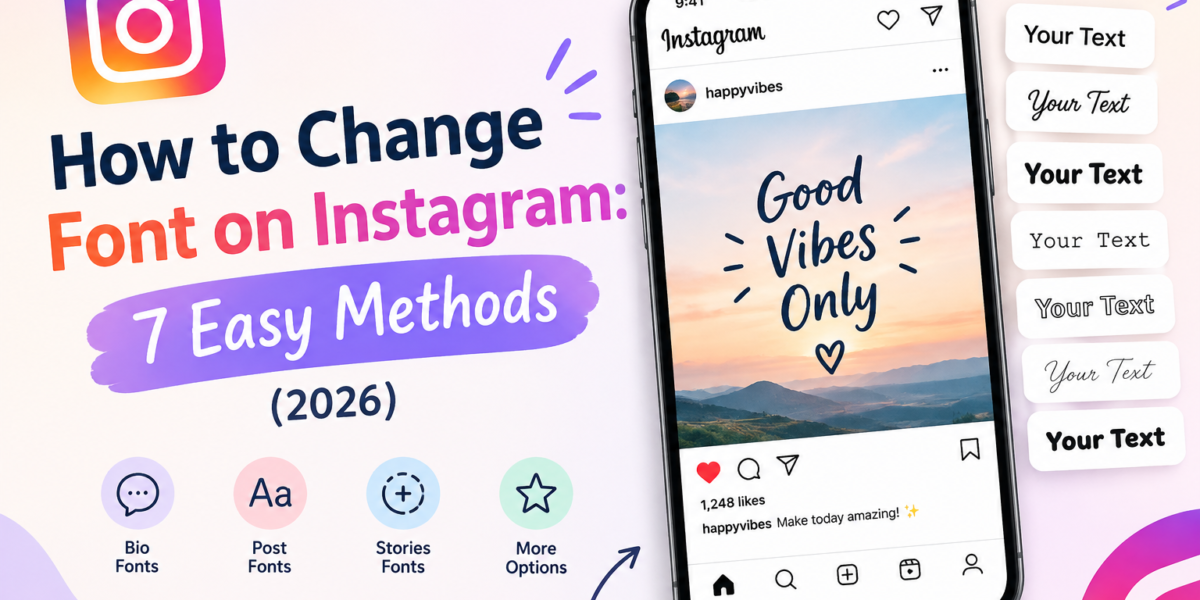
Figuring out how to change font on Instagram is confusing, because Instagram has no single font setting. There is no menu that changes the typeface of your bio, your name, or your captions. Yet some parts of the app now have real built-in fonts, and the rest can be styled with Unicode characters you paste in. Which method works depends entirely on where on Instagram you want the new font to appear.
Quick answer: Stories, Reels, and the Edits app have built-in fonts you pick from inside the text tool. Your bio, Name field, captions, and comments have no font option, so you copy styled Unicode text from a tool like our Instagram Font Generator and paste it in. Your @username can never be styled.
This guide covers all seven methods, what each one can and can’t do, and the trade-offs most font tools don’t mention. Instagram rolls features out gradually and by region, so everything below was checked against Instagram’s state in October 2026.
How to Change Font on Instagram: Which Method Works Where
| Part of Instagram | Built-in font choice? | How to change the font |
|---|---|---|
| Stories | Yes | Text tool (Aa) inside the Story editor |
| Reels | Yes | Text tool in the Reels editor, or the Edits app |
| Edits app | Yes, plus your own imported fonts | Text layer → font picker |
| Bio | No (tested on iOS, not rolled out) | Paste Unicode styled text |
| Name field | No | Paste Unicode styled text (sparingly) |
| Captions and comments | No | Paste Unicode styled text |
| Direct Messages | Instagram+ subscribers only | Chat font setting, or Unicode text |
| @username | No | Cannot be styled: letters, numbers, periods, and underscores only |
The split exists because Stories and Reels text is rendered into an image or video, so Instagram can use any typeface it likes. Bios, names, and captions are plain text fields: Instagram stores the characters you type and displays them in the app’s own interface font. To change how that text looks, you have to change the characters themselves.
Why Instagram “Fonts” in Your Bio Aren’t Really Fonts
When you paste 𝓢𝓬𝓻𝓲𝓹𝓽 or 𝐁𝐨𝐥𝐝 into your bio, you aren’t pasting formatting. You’re pasting completely different characters that happen to look like styled letters. Most of them come from the Mathematical Alphanumeric Symbols block (U+1D400–U+1D7FF), which Unicode added in version 3.1 so mathematicians could tell a bold variable from an italic one. Because every modern phone ships fonts that cover these characters, they display almost everywhere, Instagram included.
A few details explain the odd behavior people run into:
- Some script letters live elsewhere. Characters like ℬ, ℰ, ℋ, ℳ, and ℛ were already encoded in the older Letterlike Symbols block, so the math block leaves gaps for them. A good generator fills those gaps; a sloppy one leaves blanks or boxes.
- Small caps are borrowed from phonetic alphabets. Text like ꜱᴍᴀʟʟ ᴄᴀᴘꜱ uses linguistic characters, and there is no small-capital X in Unicode, so generators substitute a regular x.
- Each styled letter is a different character. 𝐀 is not A as far as search, spell-check, and screen readers are concerned. That matters for the trade-offs covered further down.
For the full technical comparison, see Unicode text vs. real fonts.
Method 1: How to Change Font on Instagram (Stories)
Stories have Instagram’s richest built-in font library. In 2024 Instagram expanded it with new named typefaces and text animations, replacing the old set of five unlabeled styles.
- Open the Story camera and capture or upload a photo or video.
- Tap the Aa (text) icon and type your text.
- Swipe through the row of font names above the keyboard and tap one to apply it.
- Use the icons at the top of the screen to change color, add a background highlight, align the text, or animate it.
- Tap Done, then drag the text where you want it.
Story fonts only exist inside the Story. The text becomes part of the image, so you can’t copy it out and paste it into your bio. Instagram+ subscribers also get access to a set of exclusive Story fonts, which were reported as a subscriber perk in August 2026.
Method 2: Change the Font in Reels
Reels use the same text tool as Stories. After recording or uploading clips, tap the Aa icon, type, and pick a font from the same row of typefaces. You can set when each text block appears and disappears on the timeline, which is how creators sync on-screen captions to speech.
Auto-generated captions use Instagram’s default caption style. If you want full control over caption typography, use Edits instead (Method 3).
Method 3: Use Your Own Fonts in the Edits App
Edits is Instagram’s free standalone video editor for iOS and Android. It’s the only Instagram-made tool where you aren’t limited to Instagram’s font list: in July 2026 Edits added the ability to import fonts from your device and apply them to text and captions. It also lets you save favorite text styles so you don’t rebuild the same look for every video.
This is the right method if you have brand fonts. Install the font file on your phone, import it in Edits, design your Reel, then share it to Instagram. The font is baked into the video, so it looks identical for every viewer.
Method 4: Change the Font in Your Instagram Bio
Your bio is a plain text field with a 150-character limit and no font menu. Instagram was spotted testing custom bio fonts on iOS in May 2026, but until that rolls out widely, Unicode text is the only option. Here’s the process:
- Write your bio in plain text first, so you know it fits in 150 characters and says what you want.
- Decide which part to style. One line or a few words usually works better than the whole bio.
- Type that part into the Instagram Font Generator and pick a style.
- Tap copy, then go to your profile → Edit profile → Bio and paste.
- Save, then view your profile from a second device or a friend’s phone to confirm nothing displays as boxes.
Keep the words people would search for, such as your profession, city, or niche, in plain text. Styled characters don’t match normal search terms, so a bio that reads “𝓑𝓪𝓴𝓮𝓻” won’t help anyone looking for a baker. For style ideas and layouts, see aesthetic bio ideas.
Method 5: Change the Font in Your Instagram Name
The Name field (the bold line above your bio) accepts Unicode characters, so you can paste a styled name the same way. Two cautions make this the field to style most carefully:
- Your name is how people find you. Instagram search looks at both your username and your Name field. If your real name is written only in styled characters, someone typing it normally may not find you. A safe pattern is a plain name plus a styled accent, for example: Sana Malik | 𝓒𝓪𝓷𝓭𝓵𝓮 𝓜𝓪𝓴𝓮𝓻.
- You can only change your name twice within 14 days. Test a styled name in your notes app or on a second account before committing to it.
Your @username is different: it only accepts letters, numbers, periods, and underscores (up to 30 characters), so styled text is rejected there.
Method 6: Change the Font in Captions and Comments
Captions and comments accept Unicode styled text exactly like the bio. Use it for emphasis, not for whole paragraphs:
- Style the hook, not the body. Only the first line or two of a caption show before “more,” so a short styled headline can stand out. Long styled paragraphs are tiring to read.
- Keep keywords and hashtags plain. Instagram’s own creator guidance notes that its search reads caption text. Styled words don’t match what people type, and styled hashtags don’t link to the real hashtag.
- Bold is the most readable style. For headings inside a caption, the Bold Text Generator produces cleaner results than script or gothic styles. Our guide to bolding text on Instagram and Facebook walks through it.
Method 7: Change the Font in Instagram DMs
Direct Messages show every message in the app’s standard font unless you subscribe to Instagram+, which added custom chat fonts in August 2026. Earlier leaks of the feature showed options such as a serif, monospace, handwriting, and bubble style. Note that this changes how the chat looks; it is a display setting, not new characters.
Without a subscription, you can still paste Unicode styled text into a DM. The other person sees the styled characters on their device, as long as their phone has fonts that cover them.
What You Can’t Change on Instagram
- The @username, for the character rules described above.
- The app’s interface font. Instagram decides how menus and plain text look; there’s no setting to change it for your account or for people viewing your profile.
- How other people’s devices render your text. Unicode styled text depends on the fonts installed on each viewer’s phone. Very old devices may show some characters as empty boxes.
The Trade-Offs: Accessibility and Search
Unicode styling has two real costs, and it’s worth knowing them before you restyle your whole profile.
Screen readers. Assistive technology identifies characters by their Unicode names. Depending on the screen reader and its settings, a styled word may be skipped or read out one character at a time as something like “mathematical bold capital S.” For people who rely on screen readers, a fully styled bio can be impossible to understand. The W3C Web Accessibility Initiative and WebAIM both explain how screen readers interpret text, and why real words matter.
Search. Instagram search, Google, and AI search tools all match text by its characters. Styled letters are different characters, so styled words are effectively invisible to keyword search.
A practical rule follows from both: style decoration, never information. Your name, what you do, and how to contact you stay plain. Taglines, dividers, and short accents can be styled.
Troubleshooting Common Instagram Font Problems
Some letters show as boxes or question marks
The viewer’s device lacks a font for those characters, or the generator used a character from a rarely supported block. Switch to a more widely supported style, such as bold or italic. Our explainer on why fancy text shows as boxes covers the causes in detail.
Instagram won’t save my styled name
Either you’ve already changed your name twice in the last 14 days, or you pasted into the username field instead of the Name field. Check which field you’re editing.
My bio says it’s too long, but it looks short
Styled characters, symbols, and emoji can take up more room in the character count than they appear to. Trim the styled part, or replace decorative symbols with plain spaces and line breaks.
My styled hashtag doesn’t work
Hashtags only link when they use regular characters. Write the hashtag in plain text; style the words around it instead.
Choosing a Style for Your Profile
The style should match what your profile is for. Script and cursive styles suit personal, creative, and lifestyle accounts; the Cursive Generator has the widest range. Bold works for business accounts and caption headlines. Soft, spaced-out styles from the Aesthetic Font Generator fit mood-board and photography profiles. Whatever you choose, use one style consistently rather than mixing four. For a side-by-side comparison of 12 bio styles, including character counts and device support, see the best fonts for Instagram bio.
If you also post on other platforms, the rules differ slightly. TikTok has its own set of field restrictions, covered on the TikTok Font Generator page.
Frequently Asked Questions
Can I change the font of my Instagram username?
No. Instagram usernames only accept letters, numbers, periods, and underscores, up to 30 characters. To show a styled name on your profile, paste Unicode text into the Name field instead.
Does Instagram have a built-in font setting for bios?
Not for most accounts as of October 2026. Instagram was spotted testing custom bio fonts on iOS in May 2026, but until that feature rolls out, pasting Unicode styled text is the only way to change how your bio looks.
Can people still find me if my Instagram name uses a fancy font?
Not reliably. Search matches characters, and styled letters are different characters from the ones people type. Keep your real name in plain text and add styled text alongside it.
Will using fancy fonts get my Instagram account restricted?
We are not aware of any Instagram rule against Unicode characters, and they are widely used. The real costs are reduced searchability and poor screen reader support, so use them for decoration rather than key information.
Can I copy the fonts from Instagram Stories into my bio?
No. Story and Reels fonts are rendered into the image or video itself, so the text cannot be copied out as characters. For the bio, use Unicode styled text from a generator.
Why does my Instagram font look different on someone else’s phone?
Unicode styled text is drawn by each device’s own fonts. Different phones and operating system versions draw the same characters slightly differently, and very old devices may show some as boxes.
Start Styling Your Instagram Profile
Use the built-in tools for Stories, Reels, and Edits, where real fonts are available. For your bio, name, captions, and comments, open the Instagram Font Generator, style one line, and keep the important words plain. You’ll get a profile that stands out without becoming hard to find or hard to read.