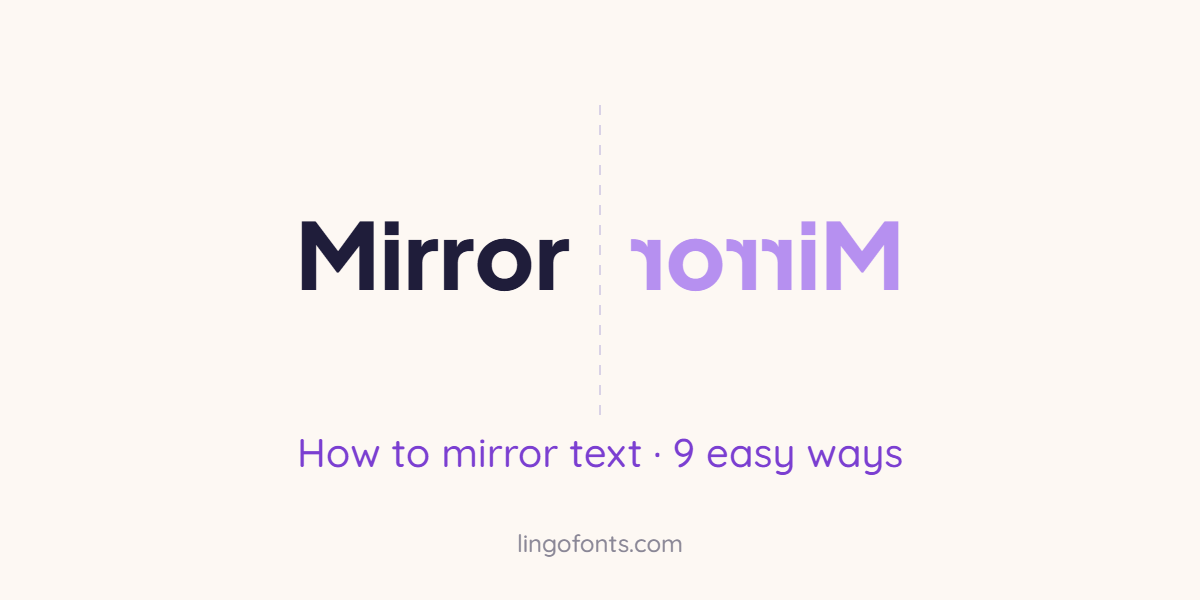
To mirror text, you flip it horizontally so it reads correctly only in a mirror. The quickest way is to paste your words into a free mirror text generator and copy the result, which works on any phone or computer. If you need mirrored text inside a document or design, Word, Google Docs, PowerPoint, Canva, Cricut Design Space and Photoshop can all flip text too, each in a slightly different way. This guide walks through how to mirror text nine ways, with exact menu steps, copy and paste examples, and the fixes for the problems people usually hit.
Quick answer: on a phone or for social media, use the Mirror Text Generator and tap Copy. In Word or PowerPoint, put the text in a text box and set 3-D Rotation X to 180°. In Google Docs, use a Drawing and choose Flip horizontally. For iron-on vinyl in Cricut, turn on the Mirror toggle before cutting.
Mirror Text, Reversed Text and Upside Down Text: What Is the Difference?
These three effects are often confused, and choosing the wrong one is the most common reason a result looks odd.
| Effect | What changes | Example of Hello |
|---|---|---|
| Mirror text | Letter order is reversed and every letter faces the other way | ollɘH |
| Reversed text | Letter order is reversed, but letters keep their normal shape | olleH |
| Upside down text | Text is rotated 180 degrees | oʅʅǝɥ |
Mirror text is a left to right flip, like your reflection. Upside down text is a rotation, which you can make with the Upside Down Text Generator. Reversed text simply spells words backwards, which is useful for word games but does not look like a reflection.
Mirror Text to Copy and Paste
Here are some ready-made examples. Select one, copy it, and paste it into Instagram, TikTok, WhatsApp, Discord or anywhere else that accepts text.
| Normal text | Mirror text |
|---|---|
| Hello | ollɘH |
| Love You | uoY ɘvo⅃ |
| Good Vibes | ꙅɘdiV booᘓ |
| Mirror Text | ƚxɘT ɿoɿɿiM |
| Happy Birthday | γɒbʜƚɿiᙠ γqqɒH |
| AMBULANCE | ƎƆИA⅃UᙠMA |
| Read Me in a Mirror | ɿoɿɿiM ɒ ni ɘM bɒɘЯ |
These are made from real Unicode characters that look like backwards letters, such as ɘ for e and Я for R, so they are text rather than images. A few letters, including f, g, k, t and y, have no exact reflected character in Unicode, so they use the closest shape. For your own words, type them into the Mirror Text Generator.
9 Ways to Mirror Text
Pick the method that matches where your text needs to end up. Each one is explained step by step below.
1. Mirror text online with a generator (any device)
This is the only method that gives you mirrored text you can paste into apps, because it converts your letters into backwards-looking Unicode characters.
- Open the Mirror Text Generator.
- Type or paste your text into the box.
- Choose Mirror Text for copy and paste text, Mirror Image for an exact visual reflection, or Reverse Text to spell it backwards.
- Click Copy and paste it wherever you like, or click Download PNG to save an image. Tick Transp first for a transparent background.
It works the same on iPhone, Android, Windows and Mac, and needs no app or account.
2. How to mirror text in Microsoft Word
Word cannot flip ordinary paragraph text, but it can flip text inside a text box or WordArt. These steps follow Microsoft’s own instructions for Word on Windows.
- Go to Insert > Text Box, draw a box and type your text.
- Right-click the edge of the box and choose Format Shape.
- In the Format Shape pane, select Effects.
- Under 3-D Rotation, set X Rotation to 180°.
- To hide the box, set Fill to No fill and the outline to No Outline.
The text stays editable, so you can still change the words after flipping them. To flip text upside down instead, set Y Rotation to 180° rather than X.
3. How to mirror text in Google Docs
Google Docs has no flip button for normal text, but its built-in drawing tool can flip a text box.
- Go to Insert > Drawing > + New.
- Click the Text box icon, draw a box and type your text.
- Select the text box, then open Actions > Rotate > Flip horizontally.
- Click Save and close to place the mirrored text in your document.
To edit the words later, double-click the drawing to reopen it.
4. How to mirror text in PowerPoint
PowerPoint uses the same 3-D Rotation trick as Word. Select your text box, right-click it, choose Format Shape, open Effects > 3-D Rotation and set X Rotation to 180°. The Flip Horizontal command under Arrange > Rotate flips shapes, but not the text inside them, which is why the 3-D Rotation setting is needed.
5. How to mirror text in Canva
Canva’s Flip button works on images and graphics, but it does not mirror an editable text box. The reliable workaround is to turn the text into an image first:
- Create your text in the Mirror Text Generator, choose Mirror Image, tick Transp and click Download PNG. The image is already mirrored.
- In Canva, open Uploads and upload the PNG.
- Drag it onto your design and resize it like any other image.
Alternatively, download your Canva text as a PNG, upload it again, and use Flip > Flip horizontal on the uploaded image. Either way, keep a copy of the original text, because an image can no longer be edited as text.
6. How to mirror text for iron-on vinyl in Cricut Design Space
Heat transfer vinyl is cut from the back, so the design must be mirrored or it will read backwards on your shirt. According to Cricut Help, the setting lives on the Prepare screen:
- Click Make It to open the Prepare screen.
- For each mat with iron-on, turn on the Mirror toggle.
- Check the preview: the text on the mat should read backwards.
- Place the vinyl shiny side down on the mat and cut.
Design Space can mirror automatically when you choose an iron-on material, but check every mat, because the setting applies to each mat separately. Do not mirror the design yourself as well, or the two flips cancel out.
7. How to mirror text in Photoshop and GIMP
In Photoshop, select the text layer and choose Edit > Transform > Flip Horizontal. The layer stays editable as type. In the free editor GIMP, select the layer and choose Layer > Transform > Flip Horizontally. This is the best route for print designs that need precise sizing.
8. How to mirror text on a website with CSS
If you build web pages, one line of CSS flips any element without changing the underlying text:
.mirror { display: inline-block; transform: scaleX(-1); }Because the real letters stay in the page, search engines and screen readers still read them normally. The W3C CSS Transforms specification documents the scale functions in full.
9. How to write backwards by hand (mirror writing)
Mirror writing by hand takes practice, but a few tricks make it much easier:
- Write the word normally on thin paper, turn the sheet over and trace it against a window or light.
- Hold a small mirror at the edge of the page and watch the reflection while you write.
- Start with symmetrical capitals such as A, H, M, O, T and X, which look the same either way.
- Try writing with your other hand from right to left. Many people find mirrored strokes come more naturally with the non-dominant hand.
Young children often write some letters backwards while they learn to write. This is a common stage and usually fades as they gain practice.
Which Method Should You Use?
| Your goal | Best method |
|---|---|
| Instagram bio, TikTok caption, Discord or WhatsApp | Mirror Text Generator, Copy |
| A school or office document | Word text box or Google Docs drawing |
| A slide in a presentation | PowerPoint 3-D Rotation |
| A poster or social graphic | Mirror Image PNG, then upload to Canva |
| T-shirt with heat transfer vinyl | Cricut Mirror toggle |
| Iron-on transfer paper from an inkjet printer | Mirror Image PNG, or your printer’s mirror or flip option if it has one |
| A web page | CSS transform: scaleX(-1) |
Why Is AMBULANCE Written Backwards?
Many ambulances print the word AMBULANCE in mirror text on the front of the vehicle. A driver ahead looks in the rear-view mirror, sees the reflection, and reads the word the right way round straight away, which helps them move aside quickly. It is one of the most familiar real-world uses of mirror text, and you can recreate it for signs or mockups: in mirror text it becomes ƎƆИA⅃UᙠMA.
Leonardo da Vinci and Mirror Writing
The most famous mirror writer is Leonardo da Vinci. He was left-handed and wrote most of the notes in his private notebooks from right to left, with the letters reversed, so they read normally when held up to a mirror. Historians still debate why. Common explanations are that writing right to left stopped a left hand smudging wet ink, and that it made casual reading of his notes harder. Whatever the reason, it is why mirror writing is often called da Vinci writing.
Common Mirror Text Problems and Fixes
- The text shows as boxes. A few mirrored characters come from newer Unicode blocks that older phones lack. Update the device, or see why fancy text looks like boxes.
- Canva will not flip my text. Canva only flips images. Convert the text to a PNG first, as in method 5.
- My iron-on came out backwards. Mirror was off, or the design was mirrored twice. Check the Mirror toggle on every mat.
- Word flipped the box, not the words. Use Format Shape > Effects > 3-D Rotation, not the Rotate > Flip Horizontal command.
- Search cannot find my mirrored username. Mirrored characters are different characters, so keep usernames in plain text. Our guide on how search engines read Unicode text explains why.
Want more ways to change how text looks? Try how to type upside down, the Aesthetic Font Generator or the Fancy Text Generator.
Frequently Asked Questions
How do I mirror text?
Paste your text into a mirror text generator and copy the result for apps and social media. In documents, put the text in a text box and flip it: in Word or PowerPoint set 3-D Rotation X to 180 degrees, and in Google Docs use a drawing with Flip horizontally.
Can I copy and paste mirror text?
Yes. Mirror text made from Unicode characters copies and pastes like normal text into Instagram, TikTok, WhatsApp, Discord and most other apps.
How do I flip text horizontally in Word?
Insert a text box, right-click it, choose Format Shape, open Effects and set 3-D Rotation X Rotation to 180 degrees. The text flips horizontally and stays editable.
How do I mirror text in Google Docs?
Go to Insert, Drawing, New. Add a text box, type your text, then choose Actions, Rotate, Flip horizontally and click Save and close.
Can you mirror text in Canva?
Not directly. The Flip button only works on images, so download your text as a PNG and upload it again, or create a mirrored PNG with a mirror text generator and upload that.
Do I need to mirror text for iron-on transfers?
Yes. Heat transfer vinyl and iron-on transfer paper are applied face down, so the design must be mirrored before cutting or printing, or it will read backwards on the fabric.
Why did Leonardo da Vinci write backwards?
Leonardo was left-handed and wrote his notebooks from right to left in mirror script. Historians suggest it helped him avoid smudging ink and kept his notes from being read easily, but no one knows for certain.