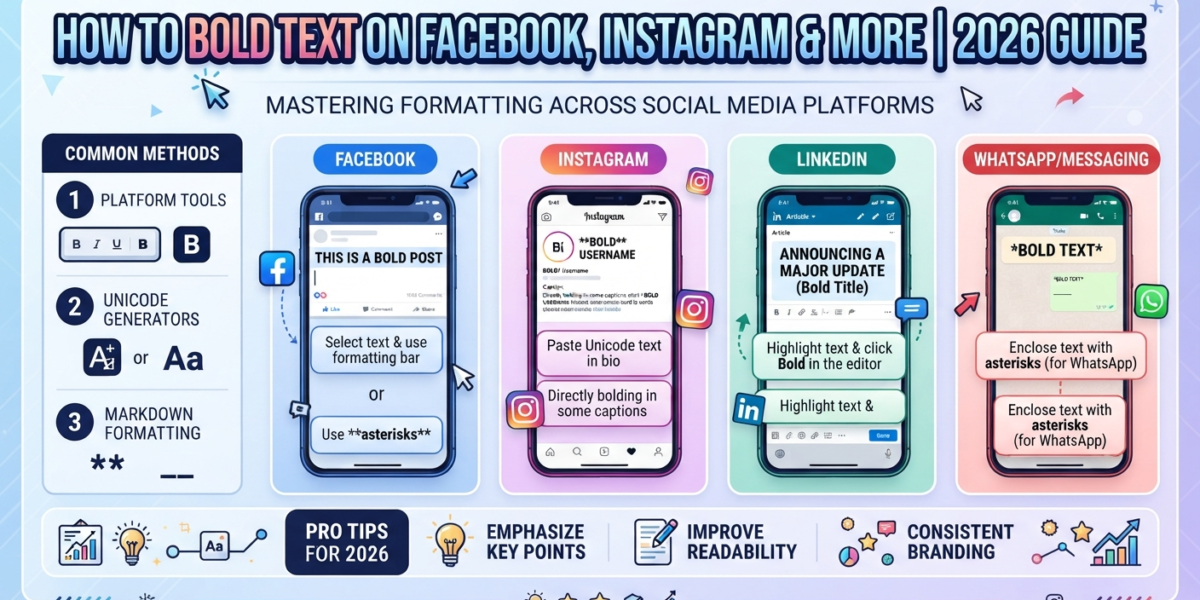
Want bold text on Facebook but can’t find a bold button? You’re not missing anything. Regular Facebook posts and comments, Instagram captions, TikTok bios and LinkedIn posts accept plain text only. The workaround is Unicode bold: special characters that already look bold, so they stay bold wherever you paste them.
The fastest way to get them is a bold text generator. Type your words, copy the bold version, and paste it into any app. Below you’ll learn how to get bold text on Facebook step by step, how the same trick works on seven other apps, and how to use it without hurting readability or reach.
How Unicode Bold Text Works
Unicode bold is not a font. Each bold letter is a separate character from the Mathematical Alphanumeric Symbols block (U+1D400 to U+1D7FF), which the Unicode Consortium code chart lists as styled letters for mathematical notation.
The normal letter A is U+0041, but 𝐀 is U+1D400, officially named MATHEMATICAL BOLD CAPITAL A. Because the boldness lives in the character itself, apps that strip formatting can’t remove it. That is why bold text on Facebook survives even though Facebook has no formatting toolbar in regular posts. For the full technical picture, see Unicode text vs. real fonts.
This has three practical consequences:
- It survives copy and paste. Bold stays bold in any app whose font can display the character.
- It isn’t searchable as normal text. Search boxes and hashtags usually treat 𝐁𝐨𝐥𝐝 and Bold as different words.
- Screen readers may misread it. Some read each character’s full name or skip it, which matters for accessibility.
How to Bold Text on Facebook (Step by Step)
- Open the LingoFonts bold font generator on your phone or computer.
- Type the words you want to stand out, such as your post’s opening line.
- Tap Copy next to the style you like. Bold Serif and Bold Sans display on the most devices.
- In Facebook, open the post or comment box, long-press (or right-click) and choose Paste.
- Check the preview on screen, then publish.
Where bold text on Facebook works: posts, comments, replies, your profile bio and Page About text. Facebook may reject special characters in profile and Page names, because its name rules favor standard characters.
Facebook Groups: some Group posts show a formatting toolbar with bold and headings. If you see it, use it; native formatting is read correctly by screen readers, while Unicode bold is not.
Any Facebook bold text generator works the same way: it swaps normal letters for Unicode characters. No login, extension or app install is needed.
Bold Text on Instagram and 6 More Apps
WhatsApp, Discord and Telegram have their own bold formatting, so a generator is only needed there for names and bios. Facebook, Instagram, X, LinkedIn and TikTok need Unicode bold for everything.
| App | Native bold? | Where Unicode bold works |
|---|---|---|
| No in regular posts; some Group posts have a toolbar | Posts, comments, bio, Page About text | |
| No | Bio, captions, comments, display name | |
| X (Twitter) | No for standard posts | Posts, replies, display name, bio |
| No | Posts, headline, About section | |
| TikTok | No | Bio, captions, comments |
| Yes: *asterisks* | Status, About, group names | |
| Discord | Yes: **double asterisks** | Nicknames, server and channel names, bios |
| Telegram | Yes: **text** or the formatting menu | Channel names, bio |
Paste bold text into Edit profile for your bio or name, or straight into a caption or comment. Your username can’t use it, since usernames allow only letters, numbers, periods and underscores. For more styles made for bios, try the Instagram font generator.
X (Twitter)
Bold works in posts, replies, your bio and display name. Keep the words people search for in plain text, because 𝐁𝐨𝐥𝐝 won’t match a search for Bold. The Twitter font generator has X-friendly styles.
LinkedIn has no bold button for posts, so Unicode bold is common for a one-line hook. Keep job titles and skills in your headline in plain text: recruiters find people by keyword, and bold characters may not match their searches.
TikTok
Bold works in your bio, captions and comments. TikTok may filter some special characters, so save your bio and check it on your profile. The TikTok font generator lists styles that display well there.
Wrap words in single asterisks, like *hello*, and WhatsApp formats them as bold. Use Unicode bold only for your About text or group names, where formatting symbols don’t work.
Discord
Type **double asterisks** around a word for bold in messages. For nicknames, server names and channel names, use the Discord font generator, but note some servers block non-standard nicknames.
Telegram
Select text and choose Bold from the formatting menu, or type **text** on desktop. Unicode bold is only useful for channel names and your bio.
6 Bold Styles and When to Use Each
Bold Serif and Bold Sans are the safest choices for readability; the decorative styles suit short names and headings only.
| Style | Example | First code point | Best for |
|---|---|---|---|
| Bold Serif | 𝐁𝐨𝐥𝐝 𝐓𝐞𝐱𝐭 | U+1D400 | Post headlines, formal LinkedIn hooks |
| Bold Sans | 𝗕𝗼𝗹𝗱 𝗧𝗲𝘅𝘁 | U+1D5D4 | Instagram bios, clean modern emphasis |
| Bold Italic | 𝑩𝒐𝒍𝒅 𝑻𝒆𝒙𝒕 | U+1D468 | Quotes and single emphasized words |
| Bold Sans Italic | 𝘽𝙤𝙡𝙙 𝙏𝙚𝙭𝙩 | U+1D63C | Calls to action, gaming profiles |
| Bold Script | 𝓑𝓸𝓵𝓭 𝓣𝓮𝔁𝓽 | U+1D4D0 | Names and aesthetic bios |
| Bold Fraktur | 𝕭𝖔𝖑𝖉 𝕿𝖊𝖝𝖙 | U+1D56C | Gothic or gaming names |
Bold digits exist too (𝟎 to 𝟗 start at U+1D7CE), which help for prices and dates in bios. Want flowing script instead? The cursive generator covers it.
Best Practices for Bold Text on Facebook and Other Apps
Use bold for a few words that deserve attention, not whole paragraphs. Emphasis works because it is rare.
Do:
- Bold one hook line or the first words of a post so it stands out in the feed.
- Keep keywords, brand names and hashtags in plain text so people can still find them.
- Test on both Android and iPhone before posting to a big audience.
Avoid:
- Bolding entire captions. Long runs of Unicode bold are tiring to read and look like spam.
- Bold hashtags. #𝐭𝐫𝐚𝐯𝐞𝐥 is not the same tag as #travel, so it won’t show in that feed.
- Bold contact details. Emails, links and phone numbers in Unicode bold may stop working when tapped.
- Mixing four or more styles in one bio. Pick one bold style and one accent at most.
Seeing empty boxes instead of letters? That device’s font lacks the character. Here’s why fancy text shows as boxes and how to fix it.
Accessibility
Screen readers handle these characters inconsistently: some announce each letter’s name, some skip them. WebAIM and other accessibility experts advise against styled Unicode for important information. Keep essential details in normal text and use bold for decoration only.
Frequently Asked Questions
How do I get bold text on Facebook?
Facebook has no bold button in regular posts and comments. Type your words in a bold text generator, copy the Unicode bold version and paste it into your post or comment.
Can I use bold text in a Facebook comment?
Yes. Unicode bold pastes into comments and replies the same way it does into posts. Keep it to a word or two so the comment stays easy to read.
Can I use bold text in my Instagram bio?
Yes. Instagram bios, captions and comments display Unicode bold. Your username can’t use it, because it only allows letters, numbers, periods and underscores.
Is Unicode bold text safe to use?
Yes. It is standard Unicode, not a hack or an app, and it contains no code. The only downsides are readability, search visibility and screen reader support.
Why does bold text show as boxes on some phones?
The device’s font doesn’t include that character. Older phones are most affected. Bold Serif and Bold Sans display on the widest range of devices.
Does bold text affect search or hashtags?
Yes. Search systems usually treat 𝐁𝐨𝐥𝐝 and Bold as different words, so keep keywords and hashtags in plain text.
How do I bold text in WhatsApp?
Wrap the words in single asterisks, like *hello*. WhatsApp formats it as bold without any generator.
Start With One Bold Line
Pick one hook, one name or one heading, make it bold with the bold text generator, and test it before posting. Used sparingly, bold text on Facebook and every other app makes your words stand out without costing readers or reach.
Related Guides
- Fancy text generator: decorative styles beyond bold
- All LingoFonts guides