Introduction
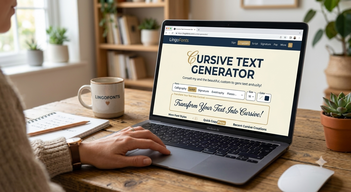
A Cursive Text Generator is an online tool that converts normal text into stylish Unicode characters that look like cursive handwriting. Instead of installing fonts, you simply type your text, copy the generated result, and paste it into compatible apps and websites.
It’s important to know that most online cursive generators do not create real handwriting fonts. Instead, they transform standard text into Unicode characters that resemble cursive writing. This means the text can often be copied and pasted into compatible websites and apps while keeping its decorative appearance.
In this guide, you’ll learn how a cursive generator works, how it differs from real cursive handwriting, when to use it, and practical tips for creating stylish text online.
What Is a Cursive Generator?
A cursive generator is a style-based writing method where letters are joined together in a flowing motion without lifting the pen after every letter.
The term “cursive” comes from the Latin word currere, meaning “to run,” which describes the smooth movement of writing across a page.
Instead of writing separate letters like print writing, this style connects letters to form complete words in one continuous stroke, making writing faster and more natural.
How Does a Cursive Text Generator Work?
Unlike traditional fonts that must be installed on your computer, most Cursive Text Generators rely on Unicode characters. When you type normal text into the generator, it replaces standard letters with visually similar Unicode symbols that look like cursive writing. Because these characters are part of the Unicode standard, you can usually copy and paste them into supported social media platforms, messaging apps, and websites.
Popular Platforms
- TikTok
- Discord
- X (Twitter)
- Threads
- YouTube
Where Can You Use Cursive Text?
Cursive text generated with Unicode characters can be used on many websites and apps without installing any fonts. It is commonly used to make names, bios, captions, and messages look more attractive while remaining easy to copy and paste.
Popular uses include:
- Instagram bios and captions
- Facebook posts
- WhatsApp status updates
- TikTok profiles
- Discord usernames
- X (Twitter) display names
- YouTube channel descriptions
- Digital invitations
- Creative branding ideas
- Personal notes and messages
Ready to create elegant cursive text? Try our Cursive Text Generator to instantly convert normal text into stylish Unicode characters that you can copy and paste into social media profiles, messages, and creative projects.
Benefits of Using a Cursive Text Generator
A cursive text generator offers several advantages for people who want stylish text without installing fonts or design software.
- Instant conversion from normal text to cursive
- Copy-and-paste functionality
- Works on most modern devices
- No software installation required
- Free to use online
- Useful for social media, branding, and creative projects
Normal To Cursive Text
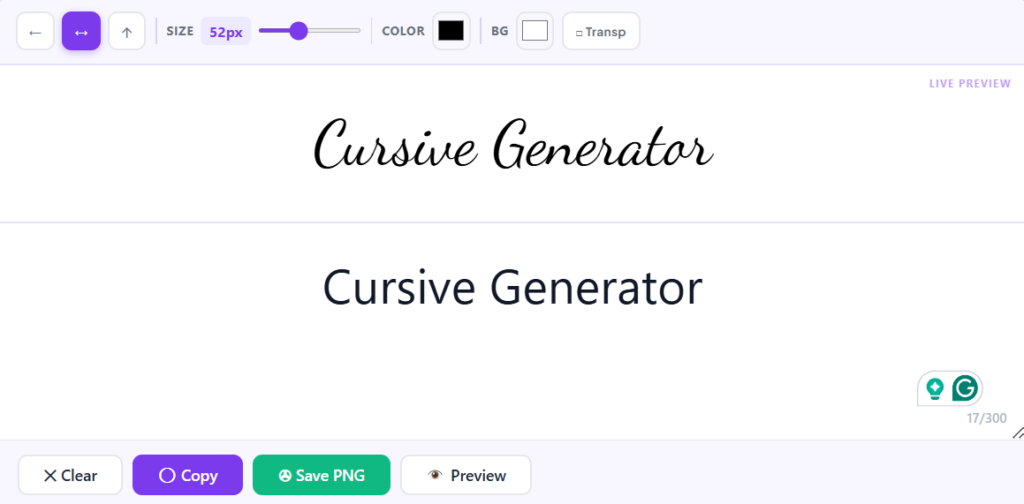
Normal Text to Stylish Unicode Text
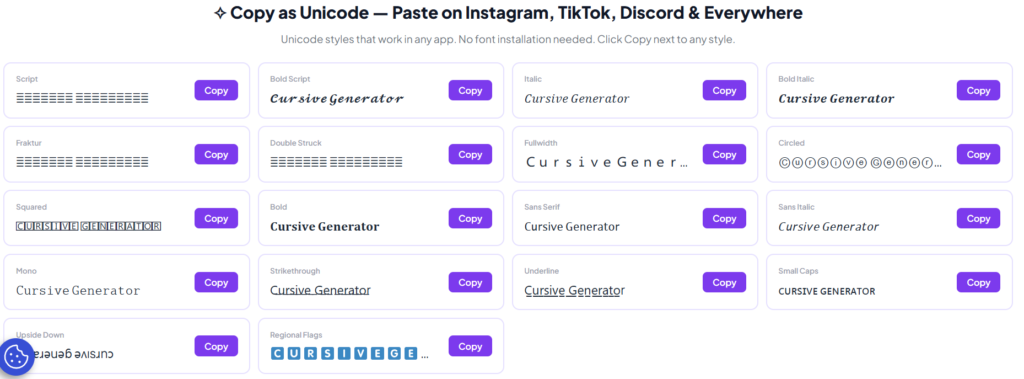
Cursive Text Generator vs Traditional Fonts
| Cursive Text Generator | Traditional Fonts |
|---|---|
| Uses Unicode characters | Requires font installation |
| Copy & paste anywhere | Works only where installed |
| Instant online | Must download |
| Free online | Some fonts require licenses |
| Great for social media | Better for graphic design |
Why This Writing Style Is Still Important for Students Today
Even in the digital era, this handwriting style remains valuable because it builds strong foundational skills.
Improved Writing Speed
Connected letters help you write faster compared to print style.
Better Hand Coordination
It improves fine motor skills and strengthens hand-eye coordination.
Enhanced Memory and Learning
Writing by hand helps the brain retain information more effectively than typing.
Personal Expression
Everyone develops a unique handwriting style over time.
Types of Cursive Generator Styles
Traditional Style
The classic form taught in schools with smooth, connected strokes.
Modern Style
A simplified version with easier letter formation.
D’Nealian Style
A mix of print and cursive designed for early learners.
Decorative Style
Used for artistic writing, invitations, and creative designs.
Bubble Style
A playful version with rounded shapes, often used by beginners.
Cursive Generator Style vs Print Writing
| Feature | Print writing | Cursive style |
|---|---|---|
| Letter Style | Separate letters | Connected letters |
| Writing Speed | Moderate | Usually faster |
| Pen Lifting | Frequent | Minimal |
| Appearance | Simple | Elegant |
| Best for | Forms and documents | Notes and personal writing |
Limitations of Cursive Text Generators
Although cursive generators are convenient, they also have a few limitations.
- Some apps may not display every Unicode character correctly.
- Decorative Unicode text is different from downloadable font files.
- Very long paragraphs written entirely in cursive may become difficult to read.
- Screen readers and accessibility tools may not interpret decorative Unicode characters perfectly.
Understanding the Cursive Alphabet
Before writing full words, it’s important to practice individual letters in this style.
Lowercase Letters
These form the foundation. Start with simple ones like:
- a
- b
- d
- e
Repeated practice builds muscle memory and confidence.
Uppercase Letters
Capital letters are more decorative and may include loops and artistic strokes, so they require extra practice.
Step-by-Step Guide to Learn This Writing Style
Step 1: Practice Basic Strokes
Start with simple curves and lines used in letter formation.
Step 2: Learn Individual Letters
Focus on one letter at a time until you can write it smoothly.
Step 3: Connect Letters
Begin joining letters to form simple words.
Step 4: Write Short Words
Practice common words to improve flow and consistency.
Step 5: Practice Daily
Even 10–15 minutes a day can significantly improve your handwriting.
Best Way to Practice at Home
To improve faster, use lined paper, keep a relaxed grip, and write slowly at first. Focus on smooth letter connections rather than speed.
With regular practice, your handwriting becomes more natural, clean, and consistent.
Does Using a Cursive Generator Improve Handwriting?
No. A Cursive Text Generator helps you create decorative text for digital use, but it does not teach handwriting skills. To improve your handwriting, you’ll need to practice letter formation, spacing, and consistent pen movement. Think of the generator as a design tool, while handwriting practice develops real writing ability.
Cursive Generator vs Real Handwriting
Cursive Text Generator Real Cursive Writing Creates decorative Unicode text Improves handwriting skills Works online instantly Requires regular practice Used for social media and digital content Used on paper with a pen or pencil Can be copied and pasted Cannot be copied digitally
Common Beginner Mistakes
Writing Too Fast
Speed comes later. First focus on correct shapes.
Inconsistent Letter Size
Keep letters aligned and properly sized for better readability.
Poor Connections
Weak joins between letters can make words unclear.
Skipping Practice
Consistency is key for improvement.
Who Can Use a Cursive Text Generator?
A cursive text generator is useful for many different users.
- Students creating attractive school projects
- Social media creators designing stylish bios
- Small businesses improving brand presentation
- Graphic designers looking for inspiration
- Teachers preparing educational worksheets
- Anyone who wants decorative text for digital communication
How to Use Our Cursive Text Generator
- Enter or paste your text.
- Instantly preview the cursive styles.
- Copy your favorite style.
- Paste it into Instagram, Facebook, WhatsApp, Discord, or anywhere that supports Unicode text.
Here we are converting text to cursive
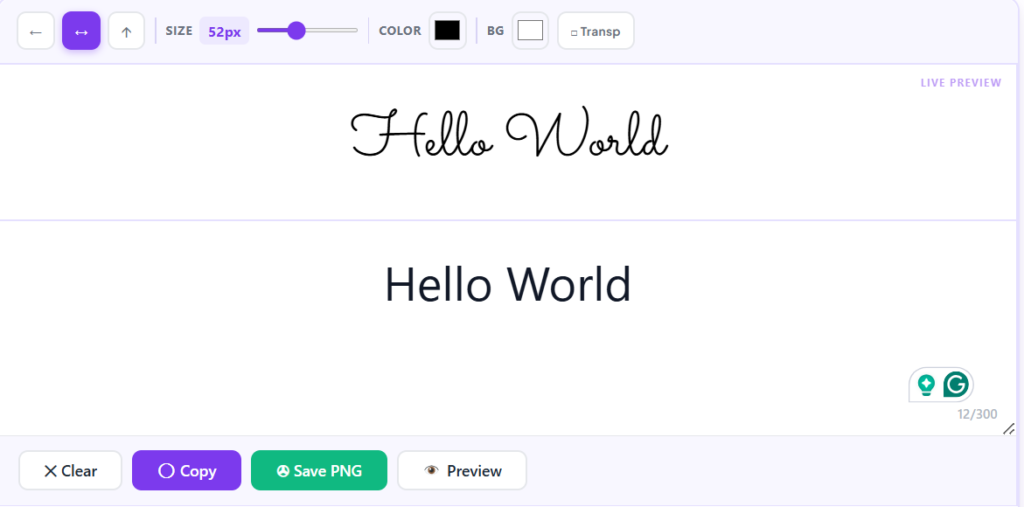
Cursive Generator Tools
People search for many variations of cursive generators depending on what they want to create. Some of the most common include:
- Cursive text generator
- Text to cursive converter
- Cursive font generator
- Name cursive generator
- Cursive writing generator
- Cursive text maker
- Cursive copy and paste generator
Although these tools create stylish digital text instantly, they should not be confused with learning traditional cursive handwriting.
Why Teachers Still Recommend This Skill
Teachers continue to encourage this writing style because it:
- Improves fine motor skills
- Enhances focus and concentration
- Strengthens memory retention
- Builds writing discipline
- Encourages personal expression
It remains a strong foundational skill for students.
Understanding Unicode and Cursive Fonts
Many people think a cursive text generator creates a new font, but that’s not usually how it works. Most online generators convert standard text into Unicode characters that resemble cursive handwriting. The Unicode Standard is a universal character encoding system that allows these special characters to display across many websites, apps, and devices.
If you’re looking for a font to install on your computer for graphic design or documents, that’s different from Unicode text. Platforms like Google Fonts provide downloadable font families that can be used in design software and websites.
Understanding this difference helps you choose the right option—Unicode cursive text for quick copy-and-paste styling, or installed fonts for professional design projects.
Conclusion
A Cursive Text Generator makes it easy to convert normal text into stylish Unicode characters that can be copied and pasted across many platforms. While it’s an excellent tool for creating decorative digital text, it isn’t a replacement for learning real cursive handwriting. If you want attractive text for social media, invitations, or creative projects, a cursive generator is a fast and convenient solution. If your goal is better handwriting, regular practice remains the best approach.
Frequently Asked Questions (FAQs)
1. What is the difference between cursive and print writing?
Print uses separate letters, while cursive connects letters for smoother and faster writing.
2. Is this writing style still useful today?
Yes, it improves handwriting, focus, and learning skills even in a digital world.
3. Can adults learn it?
Absolutely. Adults can learn it with regular practice.
4. How long does it take to learn?
Basics can be learned in a few weeks with daily practice.
5. What is the best way to practice?
Use lined paper, write slowly, and focus on letter connections.
6. Do online generators help?
They help with ideas, but real improvement comes from handwriting practice.
7. Does a Cursive Text Generator create real fonts?
No. Most generators use Unicode characters that look like cursive handwriting instead of creating installable font files.
8. Is a Cursive Text Generator free?
Yes. Most online cursive text generators are free to use and let you instantly convert, copy, and paste stylish text.
9. Does cursive text work on Instagram and Facebook?
Yes. Unicode-based cursive text usually works on Instagram, Facebook, WhatsApp, Discord, TikTok, X, and many other platforms, although some devices may display certain characters differently.