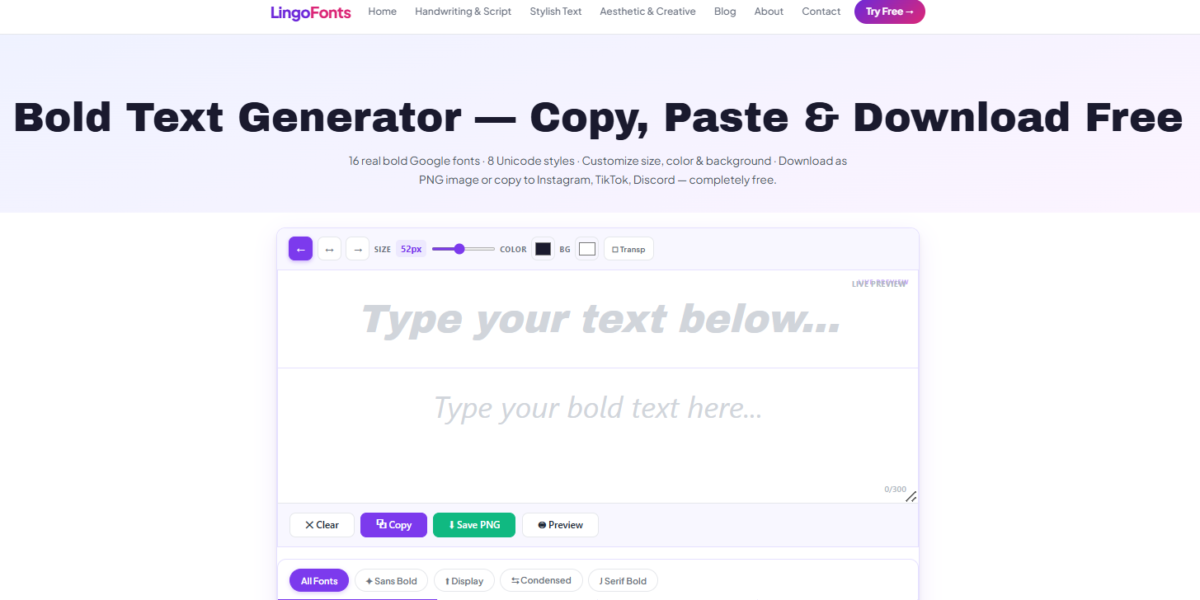
Looking for a free bold text generator online that actually works on every platform? Whether you want bold letters for your Instagram bio, a bold caption for Facebook, or eye-catching bold text for a Discord server name, a good bold font generator can turn plain words into something that actually gets noticed in a crowded feed.
Unlike regular bold formatting in Word or Google Docs, the bold text you get from an online generator isn’t formatting at all — it’s made of special Unicode characters. That’s exactly why it works everywhere: no app, no font installation, no HTML. Just type, copy, and paste.
What Is a Bold Text Generator?
A bold text generator is a simple web tool that converts normal letters into bold Unicode characters — a separate set of symbols in the Unicode standard that visually resemble bold, mathematical, or sans-serif bold letters. Because these are real characters (not styled HTML), they carry over perfectly when pasted into places that don’t normally support rich text formatting, like:
- Instagram bios and captions
- Facebook posts and comments
- Twitter/X posts
- Discord usernames and channel names
- WhatsApp and Telegram messages
- YouTube video titles and descriptions
This is the main advantage of using an online bold text converter instead of manually bolding text in a document — the style travels with the text itself.
How to Use a Free Bold Text Generator Online
Using a bold font generator takes just a few seconds:
- Type or paste your normal text into the input box.
- The tool instantly converts it into multiple bold font styles.
- Preview each bold text style in real time.
- Click the copy button next to the style you like.
- Paste the bold letters anywhere — no login or download required.
Because the conversion happens instantly in your browser, there’s no waiting, no sign-up wall, and no watermark on your bold text.
Why Use Bold Text on Social Media?
Bold fonts aren’t just decorative — they serve a real purpose for anyone posting online:
- Better visibility — bold letters stand out against a feed of plain text, increasing the chance someone stops scrolling.
- Stronger branding — a consistent bold style in your bio or captions makes your profile feel more polished.
- Clear emphasis — highlight a keyword, a call-to-action, or a name without relying on caps lock.
- Universal compatibility — since it’s Unicode, bold text displays correctly on iOS, Android, and desktop alike.
This is why searches for a free bold text generator online spike around profile makeovers, product launches, and social media rebrands.
Bold Text Generator vs. Manual Bold Formatting
| Feature | Bold Text Generator | Manual Bold (Word/Docs) |
|---|---|---|
| Works on Instagram/TikTok bios | Yes | No |
| Works on Discord | Yes | No |
| Requires app or software | No | Yes |
| Copy-paste anywhere | Yes | Limited |
| Free to use | Yes | Varies |
This comparison is exactly why an online bold text converter has become the go-to method for creators, gamers, and small businesses formatting text outside of traditional documents.
Frequently Asked Questions
Is this bold text generator really free?
Yes. The tool is completely free to use with no sign-up, no watermark, and no limit on how many times you generate bold text.
Will bold text copy and paste correctly everywhere?
In most cases, yes. Since bold Unicode characters are real text symbols, they display correctly on Instagram, Facebook, Twitter/X, Discord, and most modern apps. A very small number of older systems may show them as blank boxes.
Can I use bold fonts for my Instagram bio?
Yes. Bold fonts for Instagram bios are one of the most common uses for this type of generator, since Instagram doesn’t allow native text formatting.
Does bold text affect SEO or readability for screen readers?
Unicode bold text can be read inconsistently by screen readers, so it’s best used sparingly for names, bios, and short captions rather than long paragraphs of body content.
Do I need to download anything to use the bold text maker?
No. The entire tool runs in your browser — there’s nothing to install and no software needed.
Types of Bold Fonts You Can Generate
Not all bold text looks the same. A good bold text generator gives you several distinct Unicode styles to choose from, so you can match the bold letters to your platform or mood:
- Bold Sans-Serif — clean, modern bold letters, ideal for Instagram bios and profile names.
- Bold Serif — a more formal, traditional bold style that suits business or personal branding.
- Bold Italic — slanted bold text that adds emphasis and personality to captions.
- Double-Struck Bold — a blackboard-style bold font popular for gaming usernames and Discord tags.
- Circled Bold — each bold letter enclosed in a circle, often used for playful or attention-grabbing bios.
- Squared Bold — bold letters boxed individually, a favorite for tech and minimal aesthetic profiles.
- Monospace Bold — evenly spaced bold characters that mimic a typewriter or code-style look.
Having this many bold font variations from a single free bold text generator online means you’re not stuck with one look — you can test a few and pick whichever bold style fits your brand or vibe best.
Best Platforms to Use Bold Text On
While bold letters work almost anywhere text can be pasted, some platforms get more value out of a bold text generator than others:
- Instagram — bold fonts for Instagram bios help your name or tagline stand out on your profile page.
- TikTok — bold text in your bio or pinned comment draws the eye before a viewer even presses play.
- Discord — bold usernames and server names are easier to spot in busy member lists and chat logs.
- Twitter/X — a bold opening line in a thread increases the chance someone stops scrolling to read more.
- YouTube — bold keywords in a video description can make important links or timestamps easier to scan.
- WhatsApp & Telegram — bold text is useful for highlighting names, dates, or instructions in group chats.
- LinkedIn — used sparingly, bold text can make a headline or key achievement pop in a sea of plain-text posts.
Common Mistakes When Using Bold Text Online
A bold text generator is simple to use, but a few habits can undercut the effect:
- Overusing bold text — bolding an entire paragraph removes the contrast that makes bold text effective in the first place. Save it for names, headlines, or a single key phrase.
- Mixing too many bold styles — using five different bold fonts in one bio looks cluttered rather than polished. Pick one or two styles and stay consistent.
- Ignoring platform limits — some apps truncate long bios or usernames, so test how your bold text displays before finalizing it.
- Assuming every device renders it identically — while most modern phones and browsers display Unicode bold text correctly, a small number of very old devices may show blank boxes instead of letters.
Accessibility Considerations for Bold Unicode Text
Because bold text generated online uses Unicode symbols rather than an actual bold font family, screen readers sometimes read the characters incorrectly or skip them entirely. For that reason, following W3C accessibility guidelines is worth keeping in mind:
- Use bold text for short elements like names, bios, or single-line captions.
- Avoid using a bold text generator for large blocks of body copy that need to be fully accessible.
- Pair bold text with plain-text alternatives in critical places, such as contact information or instructions.
Following these tips keeps your content both eye-catching and usable for the widest possible audience.
Try the Bold Text Generator Now
If you’re ready to create bold, scroll-stopping text, try our Bold Text Generator and get instantly copyable bold letters for Instagram, Facebook, Discord, and more. Want more styles? Explore our Fancy Text Generator and Aesthetic Generator for additional Unicode font options.