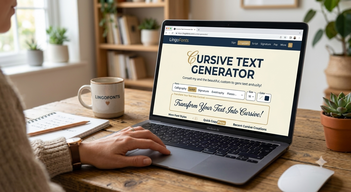
A cursive text generator is a free online tool that turns ordinary typed text into letters that look handwritten and joined, such as 𝓗𝓮𝓵𝓵𝓸 𝓽𝓱𝓮𝓻𝓮, so you can paste them into apps that have no font menu. Type in a box, pick a style, copy, paste. This guide explains what is actually happening behind that box, why a few letters look slightly different, how a cursive generator differs from a real cursive font, and where the results work best.
What Does a Cursive Text Generator Do?
Most cursive generators do one of two things, and good ones do both:
- Convert text into Unicode script letters that you can copy and paste anywhere, like 𝒩𝒶𝓂ℯ or 𝓝𝓪𝓶𝓮.
- Preview real script fonts and let you download the result as an image, for use in designs, posters or Canva.
The LingoFonts Cursive Generator offers both: 32 real Google script fonts with PNG download, and 40 Unicode styles to copy.
How a Cursive Text Generator Works
Apps such as Instagram, TikTok and WhatsApp display all text in their own font, and you cannot change it. A cursive generator gets around this by not changing the font at all. Instead it swaps each letter for a different character that already looks cursive.
Those characters live in the Mathematical Alphanumeric Symbols block of Unicode, the standard that defines every character on phones and computers. The block, added in 2001 for maths notation, contains a complete script alphabet and a bold script alphabet. So when you type H, the generator returns a separate character named “mathematical script capital H”. Because it is a standard character, every modern device can display it and every app treats it as ordinary text.
| You type | Script | Bold script | Italic (not cursive) |
|---|---|---|---|
| Hello | ℋℯ𝓁𝓁ℴ | 𝓗𝓮𝓵𝓵𝓸 | 𝐻𝑒𝑙𝑙𝑜 |
| Grace | 𝒢𝓇𝒶𝒸ℯ | 𝓖𝓻𝓪𝓬𝓮 | 𝐺𝑟𝑎𝑐𝑒 |
| Rome | ℛℴ𝓂ℯ | 𝓡𝓸𝓶𝓮 | 𝑅𝑜𝑚𝑒 |
Notice that italic is not the same as cursive. Italic letters are slanted but stay separate, while script letters have the loops and joining strokes of handwriting.
Why Some Cursive Letters Look Different
Look closely at ℋℯ𝓁𝓁ℴ and you may see that the H, e and o have a slightly different weight or size from the l’s. That is not a bug. Eleven script letters were already in Unicode’s older Letterlike Symbols block before the maths alphabets arrived, so Unicode reused them instead of adding duplicates:
| Letter | Character used | Code point |
|---|---|---|
| B | ℬ | U+212C |
| E | ℰ | U+2130 |
| F | ℱ | U+2131 |
| H | ℋ | U+210B |
| I | ℐ | U+2110 |
| L | ℒ | U+2112 |
| M | ℳ | U+2133 |
| R | ℛ | U+211B |
| e | ℯ | U+212F |
| g | ℊ | U+210A |
| o | ℴ | U+2134 |
Fonts sometimes draw these older characters a little differently. The bold script alphabet has no gaps, so if a name contains one of these letters, 𝓫𝓸𝓵𝓭 𝓼𝓬𝓻𝓲𝓹𝓽 usually looks more even.
Cursive Generator vs Real Cursive Fonts
| Unicode cursive (copy and paste) | Real cursive font (PNG or installed) | |
|---|---|---|
| Where it works | Any app that accepts text | Design apps, documents, images |
| Number of styles | Two alphabets: script and bold script | Hundreds of script fonts |
| Numbers and accents | Not included, stay plain | Included |
| Readable by search and screen readers | Often not | Yes, as normal text in documents |
| Best for | Bios, captions, usernames, chats | Invitations, logos, posters, printables |
For the full background on why these two approaches differ, see Unicode text vs real fonts.
How to Use a Cursive Text Generator
- Open the Cursive Generator and type your text.
- Choose a Unicode style to copy, or a real font to preview.
- Click Copy and paste the text into your app, or click Download PNG for an image.
- Check the result on your phone, especially if your text contains numbers or accents, which stay plain.
Where Cursive Text Works Best
- Instagram and TikTok bios: a cursive name or one cursive line stands out. See the best fonts for an Instagram bio.
- Captions and quotes: short phrases look elegant; long paragraphs become hard to read.
- Discord and gaming names: cursive nicknames paste fine, but keep a plain version for mentions.
- Invitations and printables: use a real font and the PNG download instead of Unicode.
And where it does not: search cannot match 𝒢𝓇𝒶𝒸ℯ to Grace, screen readers may read every letter as a maths symbol, and old devices may show boxes. Keep usernames and important words plain. Our guide on how search engines and AI read Unicode text explains why.
Want to learn real joined handwriting rather than copy it? Start with what cursive writing is and cursive vs calligraphy.
Frequently Asked Questions
What is a cursive text generator?
It is a free online tool that converts typed text into cursive-looking Unicode letters you can copy and paste, and often previews real script fonts you can download as images.
Is cursive text from a generator a real font?
No. Copy and paste cursive is made of Unicode characters that look like script letters. That is why it keeps its style when pasted into apps that do not let you change fonts.
Why do some letters in my cursive text look different?
Eleven script letters, including H, e and o, come from an older Unicode block, so some fonts draw them slightly differently. Bold script avoids this because its alphabet is complete.
Can I use a cursive generator on Instagram?
Yes. Copy the cursive text and paste it into your Instagram name, bio or caption. Keep your username in plain letters so people can find you.
Why do numbers not turn cursive?
Unicode has no script digits, so numbers, punctuation and accented letters stay in the normal style. Use a real cursive font and the PNG download if you need them styled.