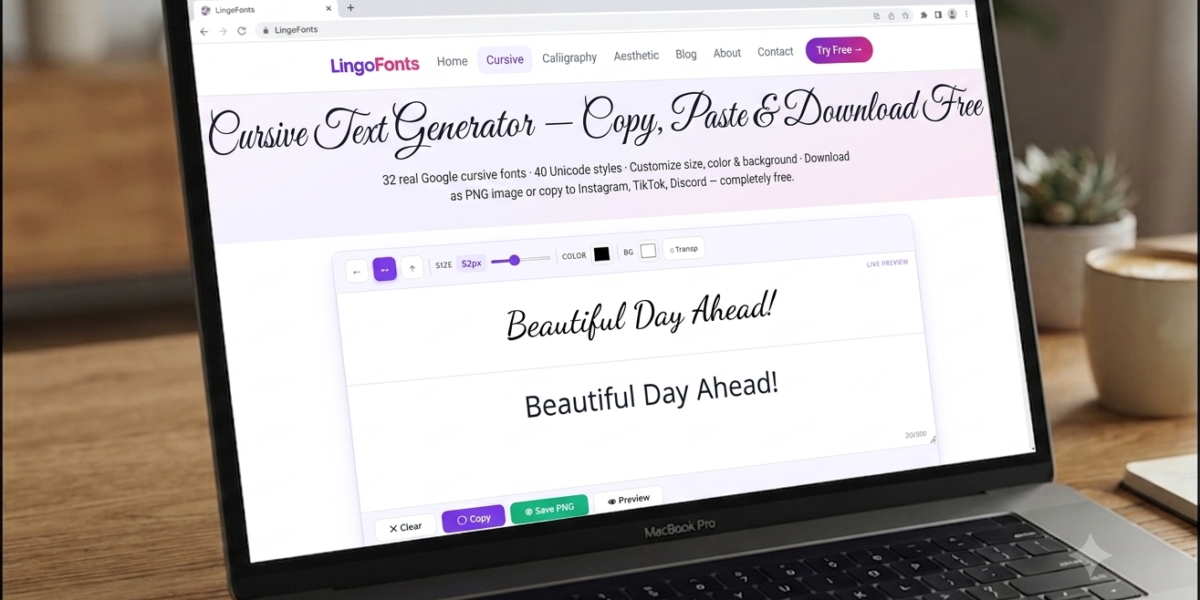
Have you ever seen stylish cursive text in an Instagram bio, a Facebook post, or a Discord username and wondered how people create it? The answer is simple—they use cursive writing copy and paste tools that instantly turn regular text into elegant cursive characters.
Instead of downloading fonts or learning calligraphy, you can type your text into a generator, copy the result, and paste it into many websites and apps within seconds.
In this guide, you’ll learn:
- What cursive writing copy and paste means
- How Unicode cursive works
- How to create cursive text step by step
- Where you can use cursive text online
- The difference between Unicode cursive and real cursive fonts
- Common questions beginners ask
If you want a quick way to create stylish text, the LingoFonts Cursive Text Generator lets you generate and copy beautiful cursive text for free.
What Is Cursive Writing Copy and Paste?
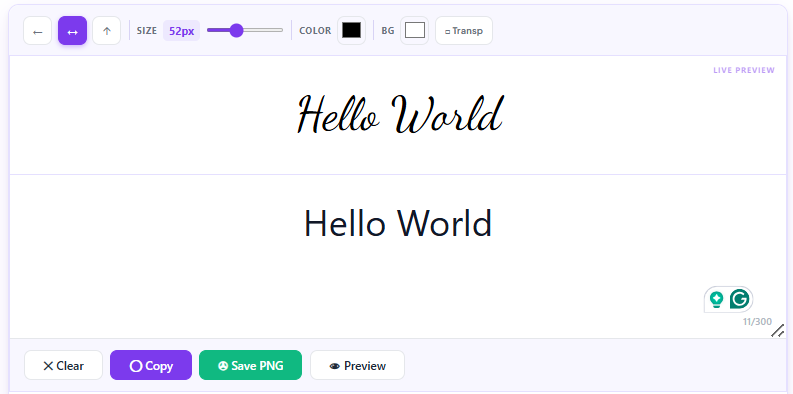
Cursive writing copy and paste refers to text that has been converted into decorative cursive-style Unicode characters. You can copy this text from a generator and paste it into compatible websites, apps, and social media platforms.
Unlike handwritten cursive, this text is created digitally using Unicode, a universal character standard that allows computers and devices to display thousands of symbols and special characters.
This means you don’t need to install any fonts or software. Everything works directly in your web browser.
For example:
| Regular Text | Cursive Text |
| Hello | 𝓗𝓮𝓵𝓵𝓸 |
| Welcome | 𝓦𝓮𝓵𝓬𝓸𝓶𝓮 |
| Good Morning | 𝓖𝓸𝓸𝓭𝓜𝓸𝓻𝓷𝓲𝓷𝓰 |
| LingoFonts | 𝓛𝓲𝓷𝓰𝓸𝓕𝓸𝓷𝓽𝓼 |
After generating the text, simply copy it and paste it wherever you want to use it.
What Is Cursive Text?
Many people ask, “What is cursive text?”
Cursive text is writing in which letters are designed to flow together in a smooth, connected style. Traditionally, people learned cursive writing by hand using pen and paper.
Online cursive text generators create a similar visual appearance by using Unicode characters that resemble cursive handwriting.
Although it looks like handwriting, the text is actually made from digital symbols rather than pen strokes.
This makes it ideal for:
- Social media profiles
- Usernames
- Online messages
- Creative captions
- Digital invitations
- Personal branding
What Is Unicode Cursive?
Unicode cursive is a collection of special characters that look like cursive writing.
Unicode is an international standard that assigns a unique code to every supported character, symbol, number, and letter. This standard allows text to display consistently across many devices and platforms.
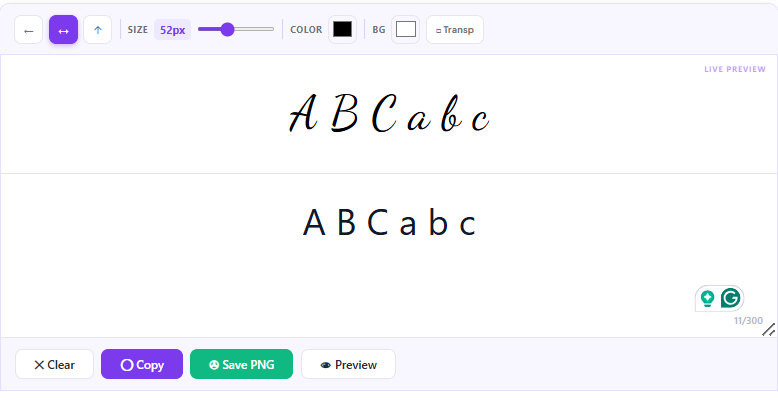
When you use a cursive generator, it replaces standard letters with their closest Unicode script equivalents.
For example:
- A → 𝓐
- B → 𝓑
- C → 𝓒
- a → 𝓪
- b → 𝓫
- c → 𝓬
This conversion happens instantly, making it easy to create decorative text without changing your keyboard or installing fonts.
Cursive Writing vs. Cursive Fonts
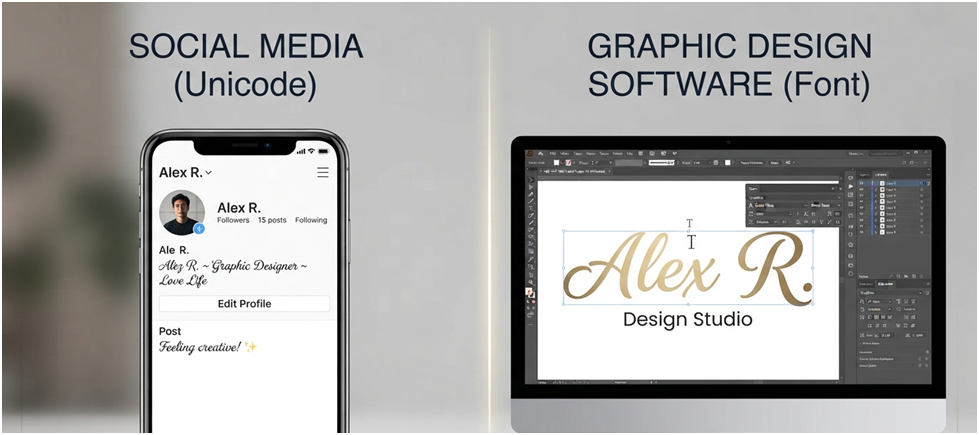
People often confuse cursive writing with cursive fonts, but they are different.
| Cursive Writing Copy & Paste | Cursive Fonts |
| Uses Unicode characters | Uses font files (.TTF or .OTF) |
| No installation required | Font must be installed |
| Easy to copy and paste | Cannot usually be pasted into social media |
| Works in many browsers and apps | Mainly used in design software |
| Best for online text | Best for printing and graphic design |
If your goal is to decorate text for social media or messaging apps, a Unicode-based generator is usually the better option.
If you’re creating a logo, poster, or printed invitation, a traditional cursive font is often the better choice.
Cursive Writing Copy and Paste vs. Other Text Generators
Many people confuse cursive writing generators with other decorative text tools. Although they may seem similar, each serves a different purpose.
| Tool | Output | Best Used For |
| Cursive Writing Generator | Unicode cursive characters | Social media, usernames, messages |
| Fancy Text Generator | Multiple Unicode styles | Decorative social media text |
| Font Generator | Downloadable font files | Graphic design and printing |
| Calligraphy Generator | Images or artwork | Invitations, posters, printable designs |
| Symbol Generator | Decorative symbols and icons | Nicknames, bios, creative text |
If your goal is to create text that can be copied and pasted into Instagram, Facebook, TikTok, Discord, or other online platforms, a Unicode-based cursive writing generator is usually the best choice. If you’re designing printed materials or branding assets, a traditional font or calligraphy tool is often the better option.
How Does Cursive Writing Copy and Paste Work?
The process is much simpler than most people expect.
A cursive text generator doesn’t create handwritten images. Instead, it replaces each regular letter with a matching Unicode cursive character.
Here’s a simple example.
Input
Dream Big
Output
𝓓𝓻𝓮𝓪𝓶𝓑𝓲𝓰
The generated text looks like cursive handwriting, but it remains editable text that you can copy, paste, and share.
Step-by-Step: How Unicode Conversion Works
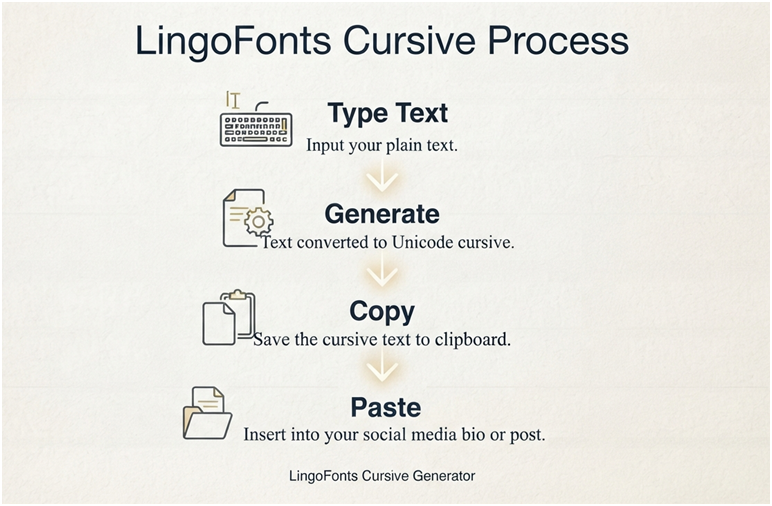
Step 1: Enter Your Text
Type or paste your words into the generator.
Example:
Stay Positive
Step 2: Character Conversion
The generator reads every letter and replaces it with the closest Unicode cursive character.
For example:
- S → 𝓢
- t → 𝓽
- a → 𝓪
- y → 𝔂
Step 3: Generate the Result
Within seconds, the tool creates the converted version.
𝓢𝓽𝓪𝔂𝓟𝓸𝓼𝓲𝓽𝓲𝓿𝓮
Step 4: Copy and Paste
Click the Copy button and paste the text into supported websites or applications.
There is no need to install fonts, browser extensions, or additional software.
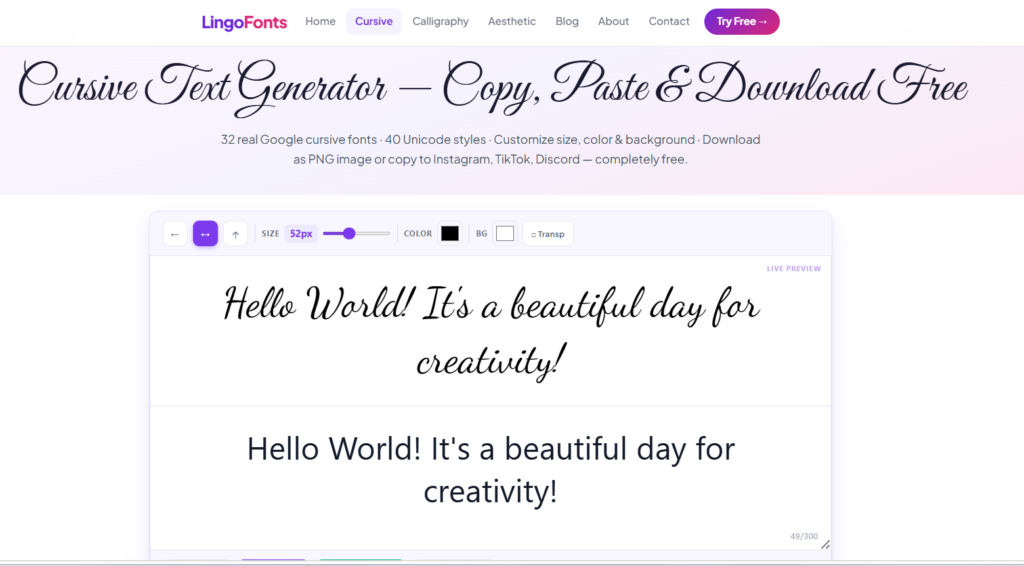
How to Use the LingoFonts Cursive Text Generator
Using the tool is easy, even if you’ve never used a text generator before.
1. Open the LingoFonts Cursive Text Generator
Visit the tool in your browser.
2. Type or Paste Your Text
Enter any word, sentence, or phrase you want to convert.
Examples:
- Your name
- A quote
- A greeting
- A social media bio
- A username
3. Browse the Generated Styles
The tool automatically creates one or more cursive styles.
Choose the one you like best.
4. Click Copy
Copy the generated text with a single click.
5. Paste It Anywhere
Paste your new cursive text into compatible platforms such as:
- TikTok
- Discord
- X (formerly Twitter)
- YouTube
- Online forums
Cursive Writing Copy and Paste Across Popular Platforms
To understand how well Unicode cursive performs in real-world situations, we tested generated cursive text across several popular websites and apps.
Overall, the results were excellent. Most modern platforms displayed the characters correctly without requiring any additional fonts or software. However, we noticed that some older browsers and devices replaced a few decorative characters with empty boxes or unsupported symbols.
| Platform | Result | Notes |
| ✅ Excellent | Bios, captions and comments displayed correctly | |
| ✅ Excellent | Worked in posts, comments and profile descriptions | |
| TikTok | ✅ Excellent | Displayed correctly in bios and captions |
| Discord | ✅ Excellent | Usernames and messages displayed properly |
| ✅ Excellent | Messages and status updates worked well | |
| X (Twitter) | ✅ Excellent | Display names and posts displayed correctly |
| ⚠ Mostly | Some decorative styles may vary by device | |
| Gmail | ✅ Excellent | Unicode text displayed normally |
| Older Android Devices | ⚠ Mixed | Some unsupported characters appeared as empty boxes |
Tips for Getting the Best Results
Before moving on to real-world uses, keep these simple tips in mind:
- Use cursive for short phrases rather than long paragraphs.
- Preview your text before posting it online.
- Test it on both mobile and desktop if appearance is important.
- Choose readable styles for professional profiles.
- Save highly decorative styles for creative or personal content.
Where Can You Use Cursive Writing Copy and Paste?
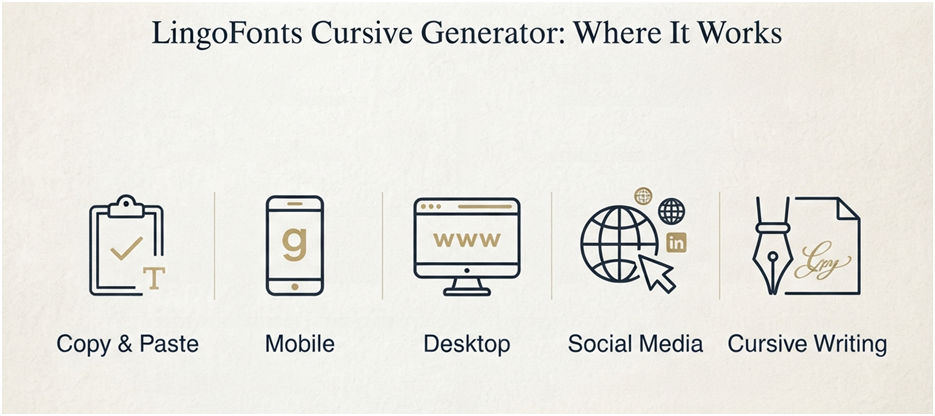
One of the biggest advantages of cursive writing copy and paste is its versatility. Once you’ve generated your cursive text, you can use it on many websites, apps, and digital platforms without installing any fonts.
Whether you want to personalize your social media profile, make your messages more creative, or add a decorative touch to your content, Unicode cursive offers a quick and easy solution.
Platform Compatibility at a Glance
| Platform | Unicode Support | Recommended Use |
| ✅ Excellent | Bios, captions, comments | |
| ✅ Excellent | Posts and profile names | |
| TikTok | ✅ Excellent | Bios and captions |
| Discord | ✅ Excellent | Usernames and chats |
| ✅ Excellent | Messages and status | |
| ✅ Excellent | Profile descriptions | |
| ⚠ Mostly | Professional headlines | |
| Gmail | ✅ Excellent | Email signatures |
| Microsoft Word | ✅ Excellent | Documents and headings |
Let’s explore some of the most popular ways to use it.
Social Media Profiles
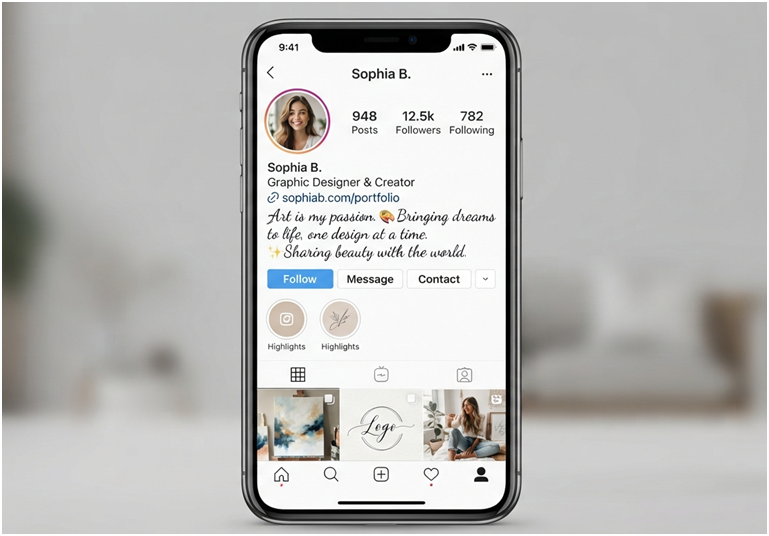
Stylish text helps your profile stand out and adds personality to your online presence. Many people use Unicode cursive for display names, bios, and profile descriptions.
Popular platforms include:
- TikTok
- X (formerly Twitter)
- Threads
Example
Regular Text
Coffee Lover ☕ | Travel Enthusiast
Cursive Writing
𝓒𝓸𝓯𝓯𝓮𝓮𝓛𝓸𝓿𝓮𝓻☕ | 𝓣𝓻𝓪𝓿𝓮𝓵𝓔𝓷𝓽𝓱𝓾𝓼𝓲𝓪𝓼𝓽
A short, stylish bio is usually easier to read than an entire profile written in cursive.
Messages and Chats
Decorative cursive text is perfect for making personal messages feel more thoughtful.
You can use it for:
- Birthday wishes
- Anniversary messages
- Congratulations
- Thank-you notes
- Holiday greetings
- Wedding messages
Example
Regular
Happy Birthday Emma!
Cursive
𝓗𝓪𝓹𝓹𝔂𝓑𝓲𝓻𝓽𝓱𝓭𝓪𝔂𝓔𝓶𝓶𝓪!
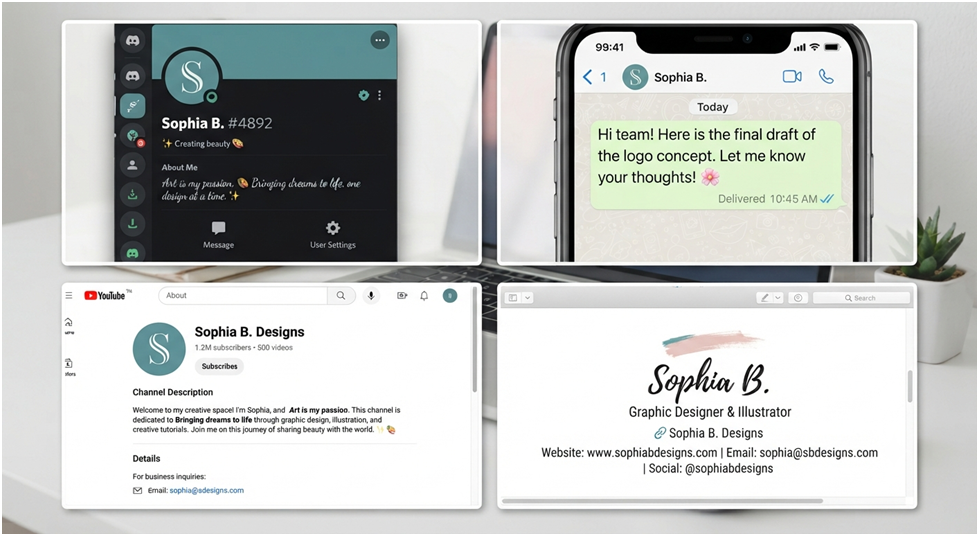
Unicode cursive works well in many messaging apps, including WhatsApp, Messenger, Telegram, and Discord.
Creative Content
Content creators often use cursive style text to make posts more visually appealing.
Examples include:
- Instagram captions
- Pinterest pin descriptions
- YouTube channel descriptions
- Blog section headings
- Digital journals
- Mood boards
- Quote graphics
Instead of writing an entire paragraph in cursive, use it to highlight key words or short phrases.
Invitations and Greetings
Cursive writing gives digital invitations a more elegant appearance.
You can use it for:
- Wedding invitations
- Birthday invitations
- Graduation announcements
- Baby shower invitations
- Holiday cards
- Event posters
Even a simple heading in cursive can make an invitation feel more special.
Email Signatures
A cursive signature can add a personal touch to your emails.
Example
Best Regards,
𝓢𝓸𝓹𝓱𝓲𝓪𝓜𝓪𝓻𝓽𝓲𝓷
For professional communication, keep the main email in plain text and use cursive only for your signature or name.
Gaming Usernames and Nicknames
Many gamers use cursive letters to create unique usernames.
Popular platforms include:
- Discord
- Steam
- Roblox
- Minecraft
- Epic Games
Always check the platform’s rules, as some games may limit special Unicode characters.
Benefits of Cursive Writing Copy and Paste
Using a Unicode cursive generator offers several advantages over traditional handwriting or font installation.
1. No Software Installation
You don’t need to download fonts or install extra programs.
Everything works directly in your browser.
2. Quick and Easy
Creating stylish text usually takes less than a minute.
Simply:
- Enter your text.
- Copy the result.
- Paste it where you want.
3. Free to Use
Many online generators, including the LingoFonts Cursive Text Generator, are completely free.
You can generate as much text as you like without creating an account.
4. Works on Many Platforms
Unicode characters are supported by most modern devices and browsers.
This makes them ideal for:
- Social media
- Messaging apps
- Blogs
- Forums
- Online communities
5. Great for Personal Branding
A stylish display name or bio can make your profile more memorable.
Many creators, influencers, and designers use cursive text to add personality without making their profiles difficult to read.
When Should You Use Cursive Writing?
| Situation | Recommended? | Why |
| Instagram Bio | ✅ Yes | Makes your profile stand out |
| Facebook Posts | ✅ Yes | Adds personality |
| Email Signature | ✅ Yes | Looks professional when used sparingly |
| Wedding Invitation | ✅ Yes | Creates an elegant appearance |
| Blog Headings | ⚠ Sometimes | Use only for decorative headings |
| Website Navigation | ❌ No | Can reduce readability |
| Long Articles | ❌ No | Difficult to read |
| Passwords or URLs | ❌ No | Can cause confusion |
Cursive Writing Copy & Paste vs. Traditional Cursive Writing
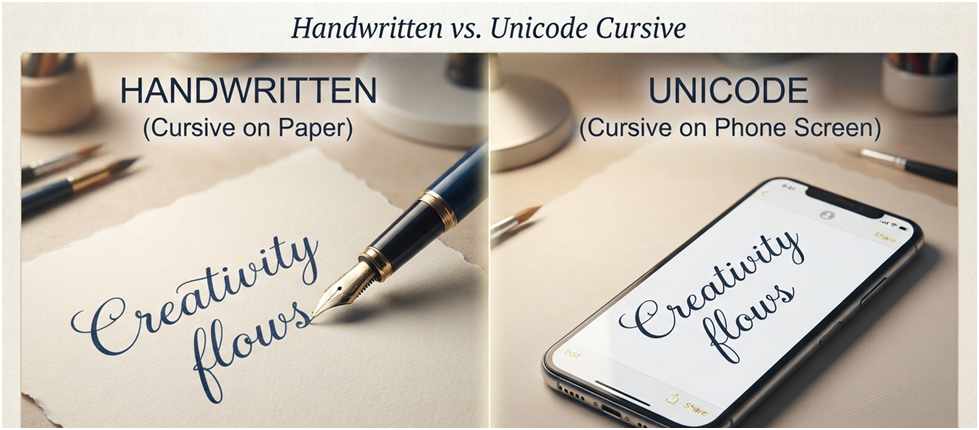
Although they look similar, digital cursive and handwritten cursive are very different.
| Feature | Cursive Writing Copy & Paste | Handwritten Cursive |
| Created Digitally | ✅ Yes | ❌ No |
| Written by Hand | ❌ No | ✅ Yes |
| Instantly Shareable | ✅ Yes | ❌ No |
| Copy &Paste | ✅ Yes | ❌ No |
| Requires Practice | ❌ No | ✅ Yes |
| Looks Like Handwriting | ✅ Similar | ✅ Yes |
Which Should You Choose?
Choose cursive writing copy and paste if you need:
- Stylish social media text
- Quick usernames
- Decorative messages
- Easy online sharing
Choose handwritten cursive if you want:
- Personal letters
- Handwritten notes
- Artistic calligraphy
- Classroom handwriting practice
Practical Examples of Cursive Writing Copy and Paste
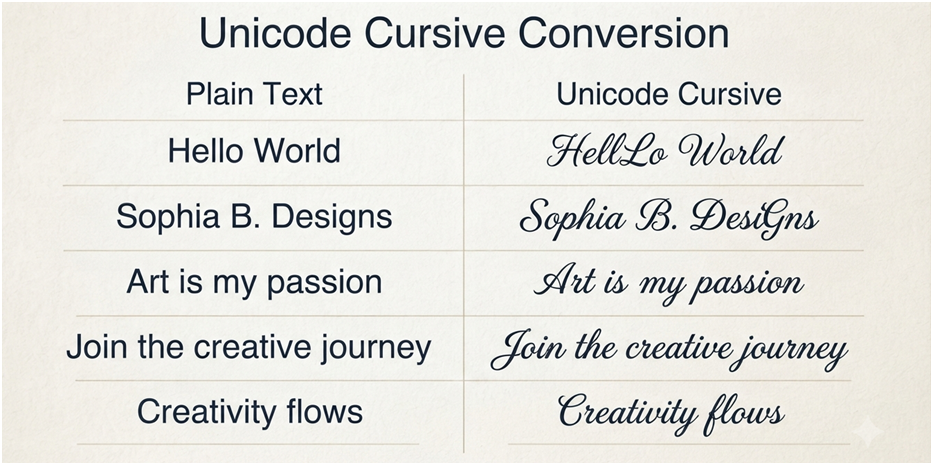
Here are some examples you can copy and use.
| Plain Text | Cursive Writing |
| Welcome | 𝓦𝓮𝓵𝓬𝓸𝓶𝓮 |
| Thank You | 𝓣𝓱𝓪𝓷𝓴𝓨𝓸𝓾 |
| Stay Positive | 𝓢𝓽𝓪𝔂𝓟𝓸𝓼𝓲𝓽𝓲𝓿𝓮 |
| Best Friends | 𝓑𝓮𝓼𝓽𝓕𝓻𝓲𝓮𝓷𝓭𝓼 |
| Dream Big | 𝓓𝓻𝓮𝓪𝓶𝓑𝓲𝓰 |
| Believe Yourself | 𝓑𝓮𝓵𝓲𝓮𝓿𝓮𝓨𝓸𝓾𝓻𝓼𝓮𝓵𝓯 |
| Good Luck | 𝓖𝓸𝓸𝓭𝓛𝓾𝓬𝓴 |
| Happy Birthday | 𝓗𝓪𝓹𝓹𝔂𝓑𝓲𝓻𝓽𝓱𝓭𝓪𝔂 |
These examples work well for greetings, captions, bios, and digital invitations.
Limitations of Unicode Cursive
Although Unicode cursive is useful, it has a few limitations that are worth understanding.
Some Platforms May Not Support Every Character
Most modern websites and apps display Unicode correctly, but older devices or outdated software may show empty boxes or unsupported symbols instead of cursive letters.
If you’re sharing important content, preview it on the platform first.
It Isn’t a Real Font
Unicode cursive looks like handwriting, but it doesn’t replace font files.
If you’re designing a printed brochure, logo, or business card, you’ll usually need a real cursive font instead.
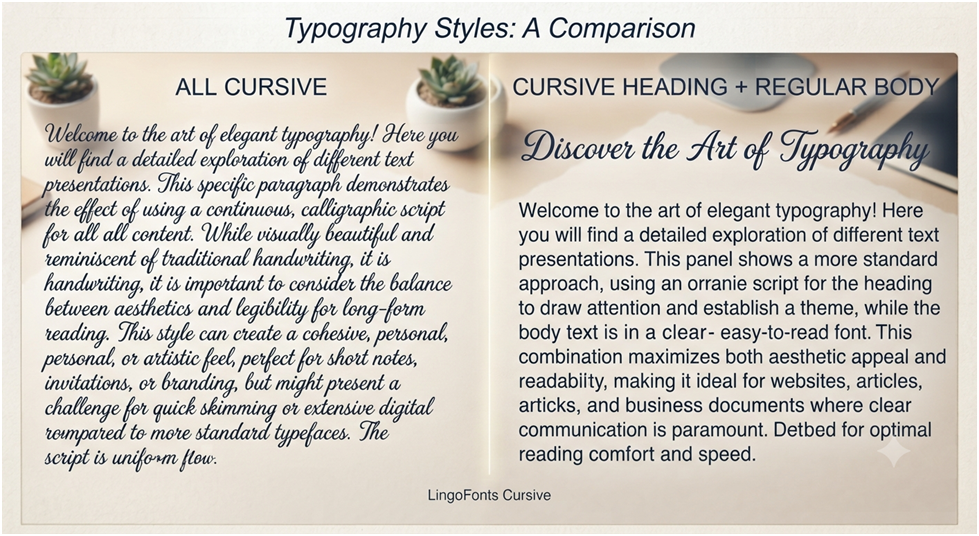
Long Paragraphs Can Be Difficult to Read
While cursive is attractive, readability decreases when large blocks of text are written in decorative script.
For the best user experience:
- Use cursive for headings.
- Highlight important words.
- Keep body text in a regular font.
Accessibility Considerations
Some assistive technologies, such as screen readers, may not interpret decorative Unicode characters as clearly as plain text.
If accessibility is important, always provide key information in standard text.
Best Practices
Follow these tips to get the best results from cursive writing copy and paste tools.
- Use cursive for short phrases instead of long paragraphs.
- Preview your text before publishing.
- Keep usernames and bios easy to read.
- Choose simpler cursive styles for professional use.
- Use plain text for important information such as email addresses and website links.
- Test your text on both desktop and mobile devices.
- Combine cursive with regular text for a balanced and attractive design.
These simple practices help your content remain stylish, readable, and compatible across different platforms.
Common Mistakes When Using Cursive Writing Copy and Paste
A cursive writing copy and paste tool is easy to use, but a few common mistakes can make your text harder to read or less effective. Avoiding these issues will help you get the best results.
1. Using Cursive for Long Paragraphs
Decorative text looks great for names, headings, and short quotes. However, entire paragraphs written in cursive can be tiring to read.
Instead of this:
𝓣𝓱𝓲𝓼𝓲𝓼𝓪𝓷𝓮𝓷𝓽𝓲𝓻𝓮𝓹𝓪𝓻𝓪𝓰𝓻𝓪𝓹𝓱𝔀𝓻𝓲𝓽𝓽𝓮𝓷𝓲𝓷𝓬𝓾𝓻𝓼𝓲𝓿𝓮.
Use cursive only for short phrases and keep the main content in standard text.
2. Thinking Unicode Cursive Is a Font
Many beginners assume that Cursive Text Generators install a font on their device.
They don’t.
A generator replaces standard letters with Unicode cursive characters that look like handwriting. These characters can be copied and pasted without installing any font files.
3. Not Checking Platform Compatibility
Although most modern websites support Unicode, some older devices or apps may display unsupported characters as empty boxes or question marks.
Before updating a social media bio or sending an important message, preview the text on the platform where it will appear.
4. Overusing Decorative Styles
Using multiple decorative styles in one sentence can make your content look cluttered.
For example:
❌ Mixing cursive, bubble text, symbols, and fancy characters together.
✅ Choose one style and use it consistently.
A clean, simple design is usually easier to read and looks more professional.
5. Using Cursive for Important Information
Avoid writing the following in decorative Unicode text:
- Email addresses
- Website URLs
- Passwords
- Phone numbers
- Instructions
Plain text is more reliable and easier for everyone to read.
Why Trust LingoFonts?
At LingoFonts, we’ve researched Unicode standards, tested thousands of decorative characters across major browsers, operating systems, and social media platforms, and continuously improve our generators to ensure reliable copy-and-paste compatibility. Our goal is to provide accurate, easy-to-use text tools that work consistently for users worldwide.
Frequently Asked Questions
Is cursive writing copy and paste free?
Yes. Most online tools, including the LingoFonts Cursive Text Generator, allow you to generate, copy, and paste cursive text for free.
What is cursive text?
Cursive text is writing that appears in a flowing, connected script style. Online generators create this effect using Unicode characters, making it easy to copy and paste without installing fonts.
Is Unicode cursive the same as handwriting?
No.
Unicode cursive looks similar to handwritten script, but it is made from digital characters rather than pen strokes.
Can I use cursive writing on Instagram?
Yes.
Most Unicode cursive styles work in Instagram bios, captions, comments, and display names.
Can I copy and paste cursive text into Facebook?
Yes.
Facebook generally supports Unicode cursive in posts, comments, and profile descriptions.
Does cursive writing work on TikTok?
Yes.
TikTok supports many Unicode characters, making cursive text a popular choice for profile bios and captions.
Can I use cursive writing on WhatsApp?
Yes.
You can paste Unicode cursive into WhatsApp chats and status updates, provided your device supports the characters.
Why do I see empty boxes instead of cursive letters?
This usually happens when a browser, app, or device doesn’t support certain Unicode characters.
Updating your operating system or using a modern browser often fixes the issue.
Can I use cursive writing in Microsoft Word?
Yes.
Most recent versions of Microsoft Word display Unicode cursive correctly, although the text is still Unicode rather than an installed font.
Can I use cursive writing for logos?
For professional logo design, it’s better to use a real cursive font instead of Unicode text. Font files provide more control over spacing, sizing, and print quality.
Is cursive writing searchable?
Search engines can index Unicode characters, but decorative text is designed for appearance rather than SEO. Use standard text for website headings, navigation, and important content.
Can I use cursive writing on my phone?
Yes.
Most browser-based generators work on smartphones, tablets, and desktop computers without requiring an app.
What’s the difference between cursive writing and cursive script?
The terms are often used interchangeably. “Cursive writing” usually refers to the connected handwriting style, while “cursive script” may describe both handwritten script and digital script-style text.
How can I learn the cursive alphabet?
If you want to write by hand, practice the cursive alphabet using handwriting worksheets. If your goal is stylish digital text, a Unicode generator creates cursive instantly without handwriting practice.
Conclusion
Cursive writing copy and paste offers a quick and simple way to make ordinary text look more elegant. Instead of installing fonts or learning calligraphy, you can generate Unicode cursive text in seconds and use it across many social media platforms, messaging apps, and websites.
While Unicode cursive is ideal for names, headings, greetings, and short messages, it’s best to avoid using it for long paragraphs or important information where readability matters.
Whether you’re updating your Instagram bio, creating a stylish username, or adding personality to your messages, Unicode cursive offers a quick and easy way to make ordinary text stand out. Type your text into the free LingoFonts Cursive Text Generator, explore multiple Unicode styles instantly, and copy your favorite version with a single click. No downloads, no sign-up, and completely free.
About The Author
LingoFonts Editorial Team specializes in Unicode text, font generators, typography, and digital writing tools. Our team researches character encoding, font styling, and cross-platform compatibility to create accurate, easy-to-follow guides that help users generate stylish text for social media, websites, and creative projects. Every article is reviewed for accuracy, usability, and up-to-date compatibility with modern platforms.