
The right TikTok bio font makes your profile recognisable in a second, but TikTok has no font menu for your bio, name or comments. What you paste instead are Unicode styles such as 𝓒𝓾𝓻𝓼𝓲𝓿𝓮, ᴄᴜᴛᴇ ᴄᴀᴘꜱ or 𝗯𝗼𝗹𝗱 text. This guide explains which styles show up in each field, which ones TikTok rejects, and the best bio font styles to copy from our free TikTok Font Generator. Looking for fonts on videos instead? See how to change font on TikTok.
TikTok doesn’t let you upload or choose a custom font for your bio or captions — there’s no font picker anywhere in the app. But plenty of profiles clearly aren’t using the default typeface. So what’s actually going on?
Quick answer: it’s not a font swap — it’s Unicode. A TikTok font generator turns your regular text into styled Unicode characters that look bold, cursive, or bubbled, and every phone already knows how to display them. Type your text, copy the style you like, paste it into TikTok. No app, no download, no special settings.
Try it now with the TikTok Font Generator — 16 styles, live preview, free.
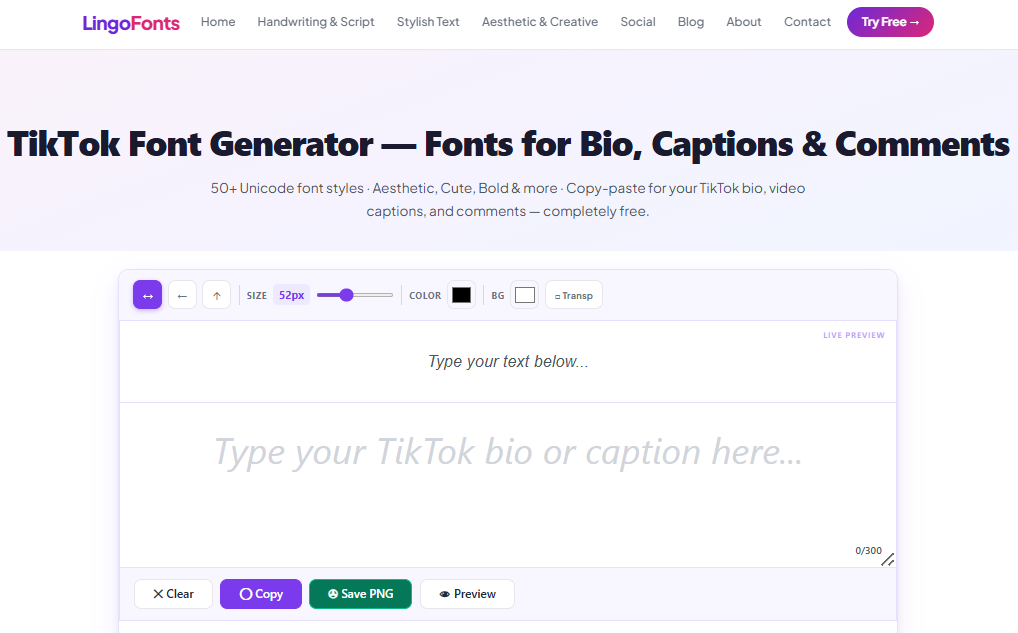
Tiktok Font Generator’s layout:
What Is a TikTok Bio Font?
It converts plain text into look-alike Unicode text. Type “creator” and pick Gothic, and you get 𝔠𝔯𝔢𝔞𝔱𝔬𝔯 — not a new font file, but a different set of characters from the Unicode standard that happens to resemble a Gothic typeface. Because Unicode is universal, it displays the same way on iPhone, Android, and TikTok’s web version.
The Field That Trips Everyone Up: Username vs. Everything Else
This is the single most common source of “why isn’t my TikTok font working” confusion, and it mirrors a rule you’ll also see on Discord: TikTok treats your username and your display name completely differently.
- Username (the
@handleunder your profile) — TikTok validates this field strictly. Standard Unicode Bold and Italic sometimes save, but more decorative styles (Zalgo, fullwidth, heavily stacked characters) are often rejected outright. Results can vary by device and app version, so don’t assume every style will work here. - Display name, bio, captions, and comments — these accept the full range of Unicode styling without restriction. This is where fancy fonts reliably work every time.
If a style you copied “isn’t saving,” try it in your display name or bio first — that’s almost always the actual issue, not the generator.
Where Fancy Fonts Work on TikTok
| Field | Accepts Unicode fonts? |
|---|---|
Username (@handle) | Limited — some styles rejected, varies by style and device |
| Display name | Yes |
| Bio | Yes |
| Video captions | Yes |
| Comments | Yes |
How to Add a Fancy Font to Your TikTok Bio
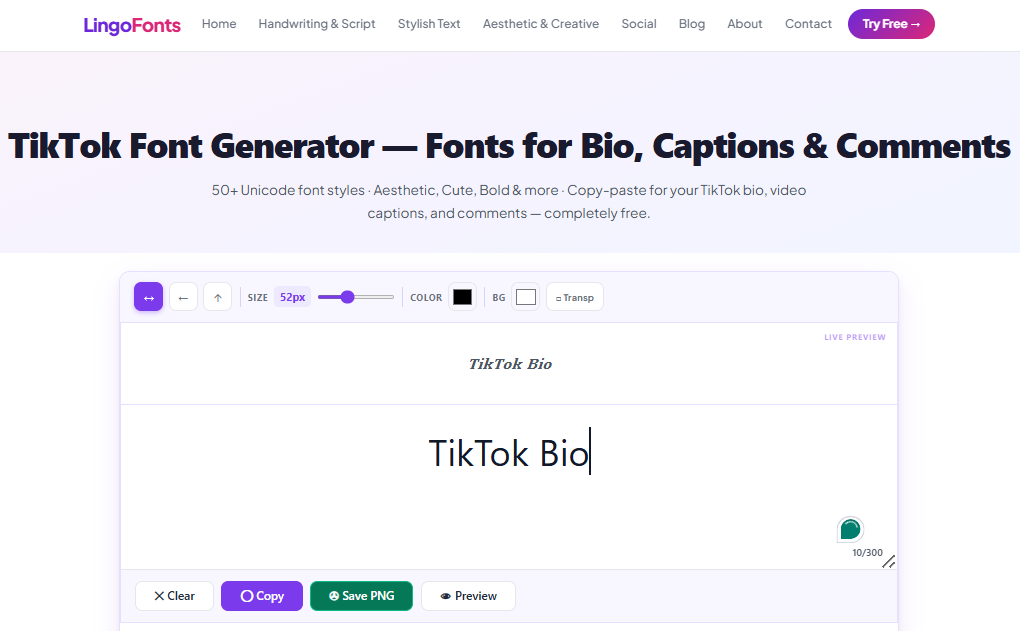
- Type your text into the input box.
- Every style updates live as you type.
- Tap Copy on the style you want.
- Open TikTok → Profile → Edit Profile → paste into Bio, Name, or wherever you’re posting from.
Best TikTok Bio Font Styles
- Bold — the most reliable pick for bios and captions; stays readable at TikTok’s compact profile text size.
- Small Caps — clean and minimal, a common choice for bios that want to look tidy rather than decorative.
- Script/Cursive — soft, aesthetic look popular for personal or lifestyle creator profiles — best kept to short phrases.
- Bubble — playful and eye-catching for a single word or short tag in a bio.
- Gothic — an edgier look some creators use for horror, alternative, or music-niche content.
For fast-scrolling surfaces like captions and comments, punchy and short beats long and decorative — a styled keyword lands better than a fully-styled sentence.
Common Mistakes to Avoid
Trying to style your username and assuming the generator is broken. TikTok’s username validation is stricter than its other text fields and can reject certain Unicode ranges. If a style won’t save to your username, that’s TikTok’s field restriction, not a generator error — use your display name instead.
Over-decorating captions. A caption in a single heavy style is harder to skim on a fast-moving feed. Most creators get better results styling one keyword or hook and leaving the rest in plain text.
Assuming every device renders every style identically. Unicode glyphs render using each device’s own font, so a rare or unusual Unicode block can occasionally look slightly different — or show as a blank box — on an older phone. Bold, Italic, and Small Caps have the broadest device support if consistency matters more than novelty.
Forgetting plain-text searchability. Like other platforms, TikTok’s search and hashtag matching work on standard text. Keep your actual niche keywords in plain text somewhere in your bio, even if the surrounding text is styled.
Font styles available in TikTok Font Generator

Posting on other platforms too? See our Discord font guide and Twitter/X font guide, or style your bio with the Instagram Font Generator.
TikTok Bio Font FAQs
Can I put a fancy font in my TikTok username?
Sometimes — TikTok validates usernames more strictly than other fields, and some styles get rejected. Your display name and bio accept full Unicode styling reliably, so use those if a style won’t save to your username.
Will TikTok reject unusual Unicode characters?
It can, specifically in the username field. Display name, bio, captions, and comments accept the full range of styles in this generator.
Do fancy fonts work in TikTok comments?
Yes — comments accept the same Unicode styling as bios and captions.
Why does my TikTok bio font look different on someone else’s phone?
Unicode characters render using each device’s installed fonts, so rare styles can look slightly different across devices. This is a device-level rendering detail, not a sign that the text is broken.
Can I use fancy fonts in TikTok captions?
Yes — captions fully support Unicode styled text, the same as your bio.
Try It Now
Style your bio, captions, or comments with the TikTok Font Generator — free, instant, no sign-up.
Posting across platforms? Check the Discord Text Generator for gaming communities, or browse the Aesthetic Font Generator for more mood-based styles.