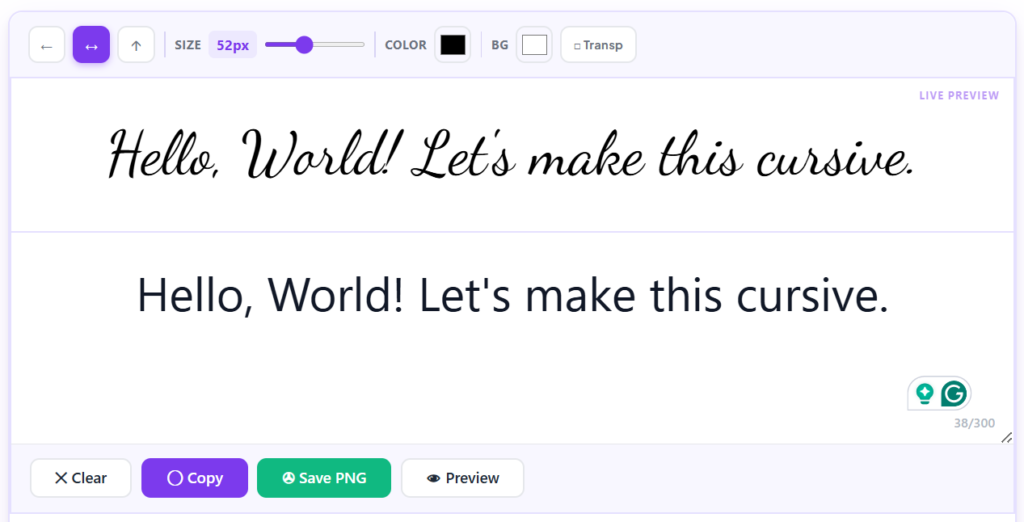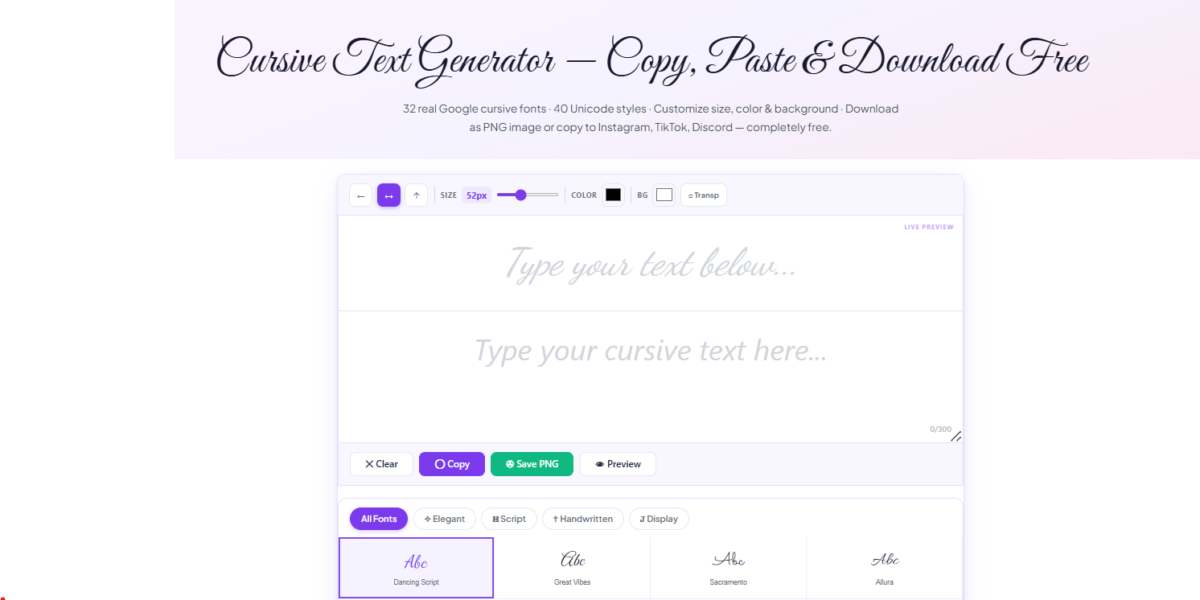
Have you ever wanted your text to look elegant without learning calligraphy or installing special fonts? A convert text to cursive tool makes it easy. Simply type your text, and it instantly transforms it into stylish cursive characters that you can copy and paste almost anywhere.
Whether you’re creating an Instagram bio, designing a social media post, sending a unique message, or adding personality to your online profile, a cursive text generator helps you produce decorative text in seconds.
In this guide, you’ll learn:
- What it means to convert text to cursive
- How cursive text generators work
- How to use a cursive text generator step by step
- Where you can use cursive text
- The differences between Unicode text and actual cursive fonts
- Common mistakes to avoid
- Best practices for getting readable, attractive results
If you’re ready to create stylish text without any design skills, the LingoFonts Cursive Text Generator lets you convert plain text into copy-and-paste cursive instantly.
Quick Answer :A convert text to cursive tool changes normal text into decorative Unicode cursive characters that you can copy and paste into social media profiles, messages, websites, and other supported platforms. Unlike traditional fonts, no installation is required because the generator uses Unicode characters instead of font files.
A Cursive Text Generator is an online tool that converts ordinary text into Unicode characters that resemble cursive handwriting. The generated text can usually be copied and pasted into social media platforms, messaging apps, and websites without installing fonts.
Convert Text to Cursive Instantly
Convert Text to Cursive at a Glance
| Feature | Details |
|---|---|
| Tool Type | Unicode Text Generator |
| Cost | Free |
| Installation Required | No |
| Copy & Paste | Yes |
| Works on Mobile | Yes |
| Works on Desktop | Yes |
| Best For | Social Media, Usernames, Messages, Invitations |
| Real Font? | No (Uses Unicode Characters) |
Try Our Free Cursive Text Generator
Want to create stylish Unicode text in seconds?
Enter your text into the LingoFonts Cursive Text Generator, choose your favorite cursive style, and copy it with one click.
✔ Free forever
✔ Unlimited conversions
✔ Copy & Paste
✔ Works on Instagram
✔ Works on TikTok
✔ Works on Discord
✔ No sign-up required
What Does “Convert Text to Cursive” Mean?
Converting text to cursive means changing ordinary letters into decorative script-style characters that resemble handwritten writing.
For example:
| Regular Text | Cursive Text |
| Hello | 𝓗𝓮𝓵𝓵𝓸 |
| Welcome | 𝓦𝓮𝓵𝓬𝓸𝓶𝓮 |
| LingoFonts | 𝓛𝓲𝓷𝓰𝓸𝓕𝓸𝓷𝓽𝓼 |
| Beautiful Writing | 𝓑𝓮𝓪𝓾𝓽𝓲𝓯𝓾𝓵𝓦𝓻𝓲𝓽𝓲𝓷𝓰 |
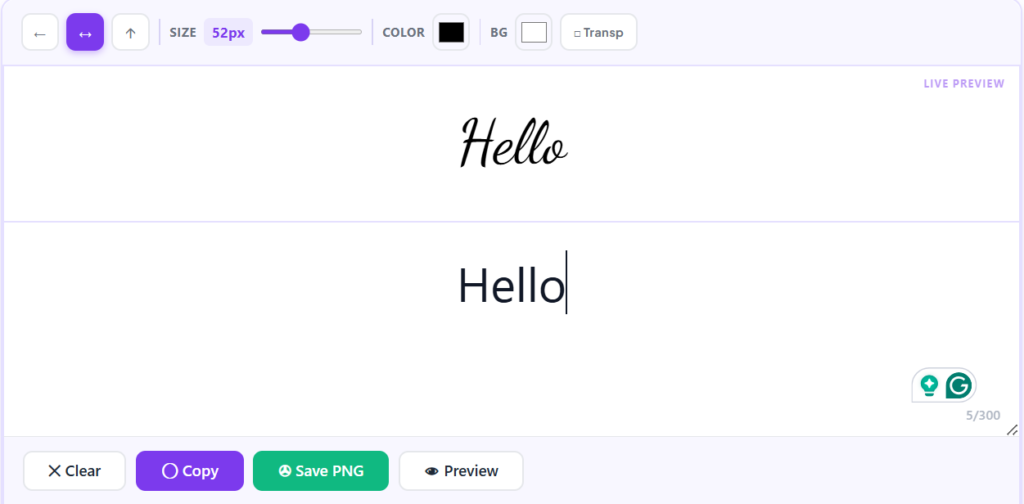
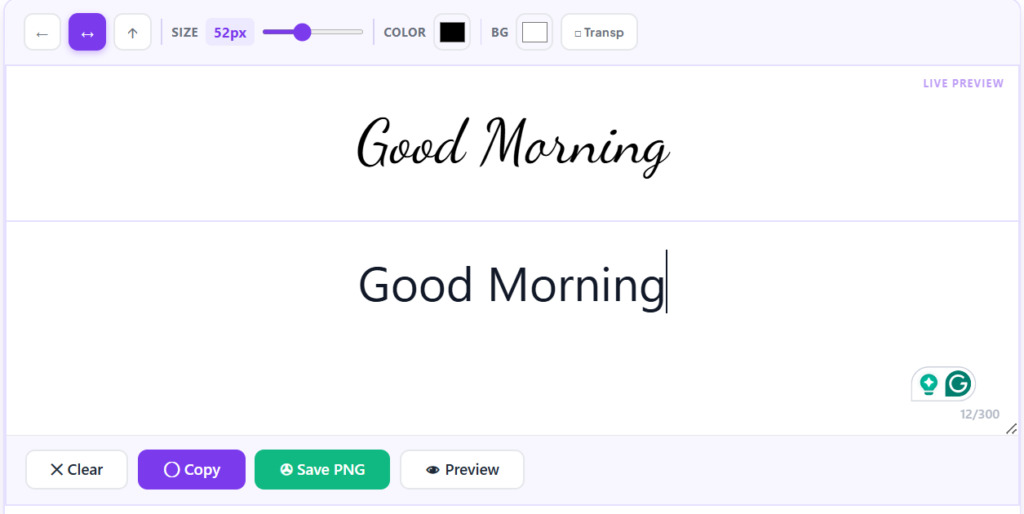
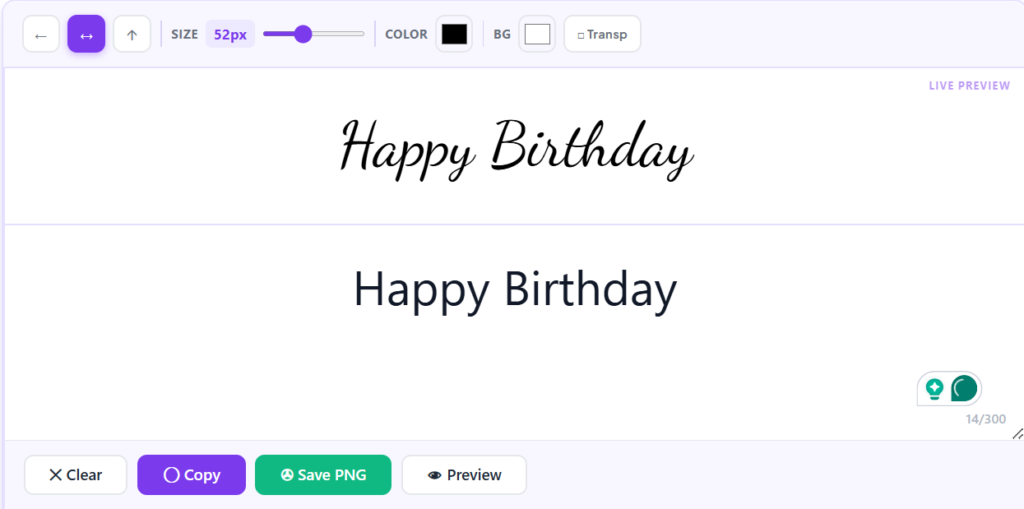
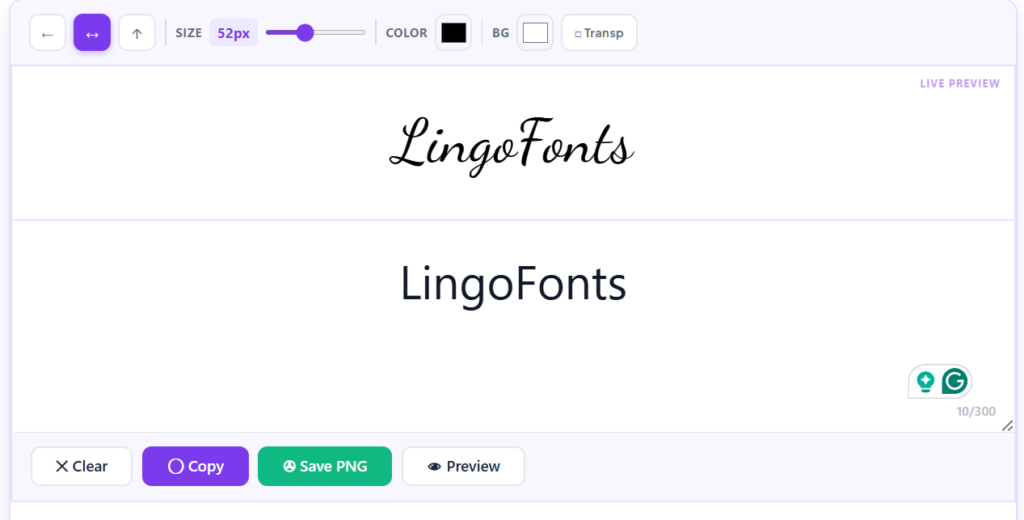
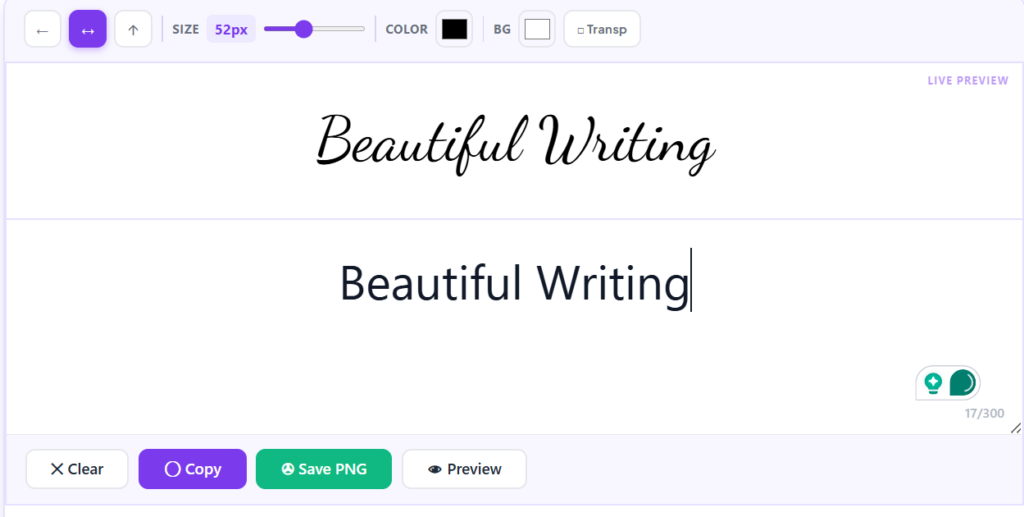
Unlike handwriting, these characters are generated digitally using special Unicode symbols rather than installing a new font on your device.
That means you can simply copy the generated text and paste it into many websites, apps, and social media platforms.
Is It a Real Font?
This is one of the most common questions beginners ask.
The answer is no.
Most online cursive generators do not create actual font files. Instead, they replace standard letters with visually similar Unicode characters.
Think of it like this:
- A font changes how text is displayed on your device.
- A Unicode cursive generator changes the actual characters you copy.
Because the characters themselves are different, they can often be pasted into platforms that don’t allow custom fonts.
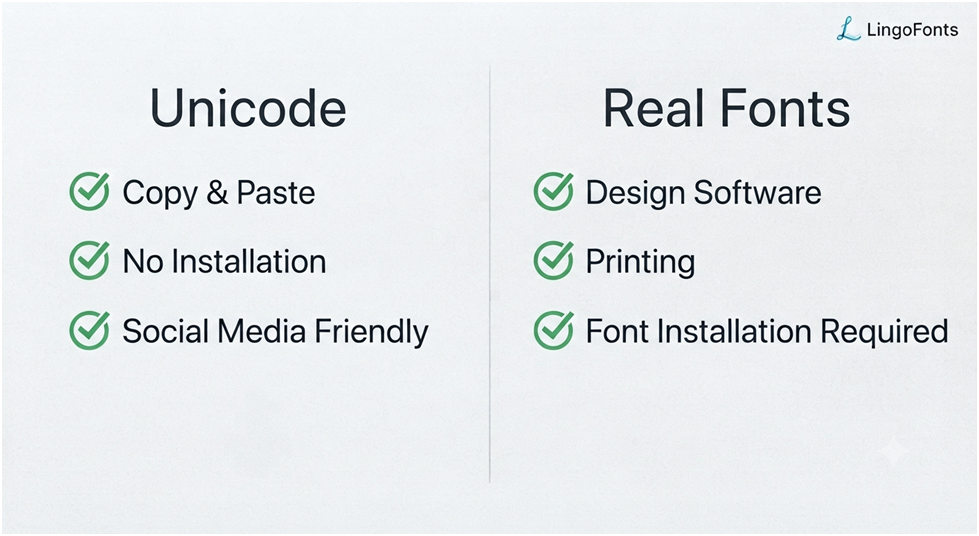
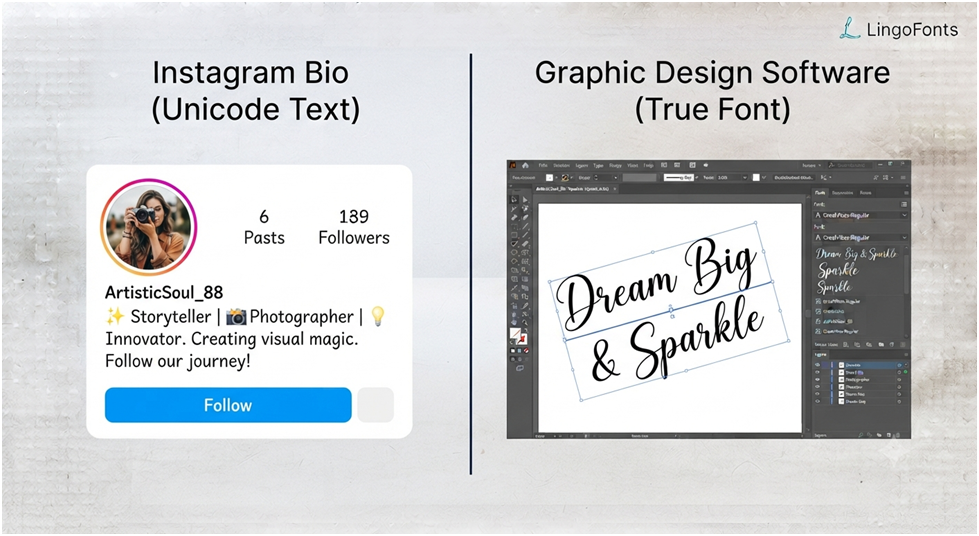
Unicode vs. Real Fonts
Many people confuse Unicode text with fonts, but they work in different ways.
| Unicode Cursive Text | Traditional Font |
| Uses Unicode characters | Uses font files (.ttf, .otf) |
| Copy and paste instantly | Must be installed |
| Works on many social media platforms | Usually doesn’t work in social media bios |
| No downloads required | Installation required |
| Easy for beginners | Better for graphic design and printing |
If your goal is stylish text for online use, a text to cursive generator is usually the easiest option.
Why People Use Cursive Text Generators
Thousands of people use cursive text generators every day to create stylish Unicode text for social media, gaming profiles, invitations, digital branding, and creative projects.
Some of the most common reasons include:
- Making Instagram bios more attractive
- Creating unique Discord usernames
- Designing stylish TikTok captions
- Personalizing Facebook posts
- Writing elegant wedding invitations
- Creating decorative email signatures
- Adding personality to YouTube channel descriptions
Unlike traditional fonts, Unicode cursive text doesn’t require any software installation, making it one of the easiest ways to style text online.
How Does a Cursive Text Generator Work?
A cursive text generator looks simple on the surface, but it performs a clever conversion behind the scenes.
Instead of drawing handwriting, it replaces each regular letter with its matching Unicode cursive character.
For example:
Input:
Hello World
Output:
𝓗𝓮𝓵𝓵𝓸𝓦𝓸𝓻𝓵𝓭
Each letter is substituted individually while preserving spaces, numbers, and most punctuation.
This process happens almost instantly.
Step-by-Step Conversion Process
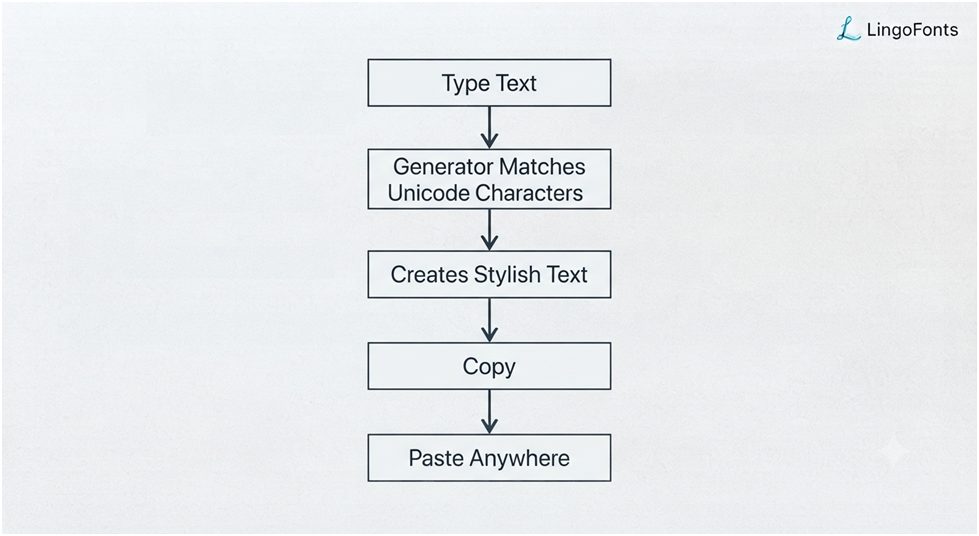
Here’s what happens when you convert text to cursive:
Step 1: Enter Your Text
Type or paste your text into the input box.
Example:
Welcome to LingoFonts
Step 2: Character Mapping
The generator identifies every supported character and replaces it with the closest matching Unicode cursive symbol.
For example:
W → 𝓦
e → 𝓮
l → 𝓵
c → 𝓬
Step 3: Generate the Output
The converted text appears immediately below the input field.
Example:
𝓦𝓮𝓵𝓬𝓸𝓶𝓮𝓽𝓸𝓛𝓲𝓷𝓰𝓸𝓕𝓸𝓷𝓽𝓼
Step 4: Copy and Paste
Click the copy button.
Paste the text into supported apps such as:
- Instagram bios
- Facebook posts
- TikTok profiles
- Discord usernames
- WhatsApp messages
- X (formerly Twitter)
- YouTube comments
- Pinterest descriptions
- Blog headings
- Online forums
- No additional software is required.
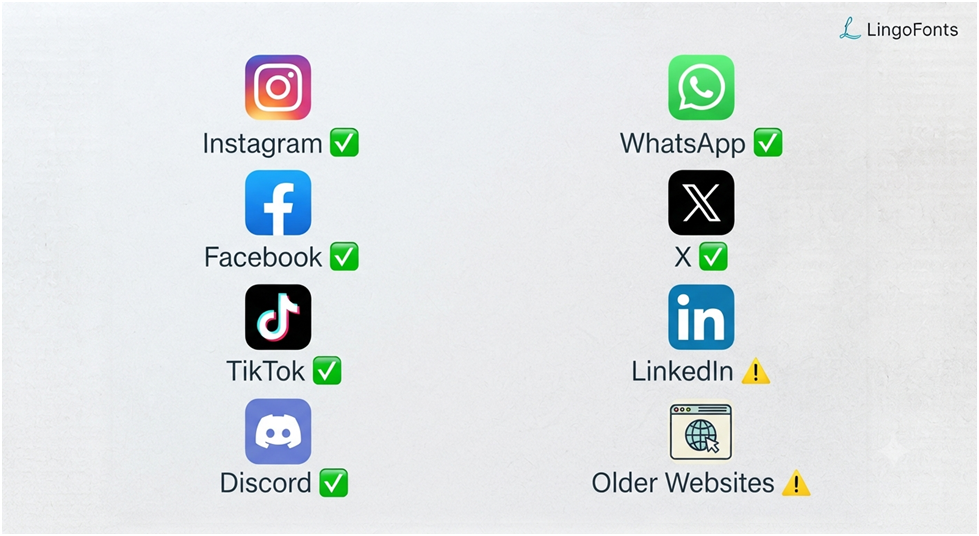
Does It Work on Every Platform?
Usually, yes—but not always.
Most modern platforms support Unicode characters. However, some older websites, apps, or operating systems may not display every cursive character correctly.
Here’s a quick overview:
| Platform | Usually Supported |
| ✅ Yes | |
| ✅ Yes | |
| X (Twitter) | ✅ Yes |
| TikTok | ✅ Yes |
| Discord | ✅ Yes |
| ✅ Yes | |
| ✅ Mostly | |
| Gmail | ✅ Yes |
| Microsoft Word | ✅ Yes |
| Older websites | ⚠️ May vary |
If a platform doesn’t support certain Unicode characters, the text may appear as plain squares, empty boxes, or substitute symbols.
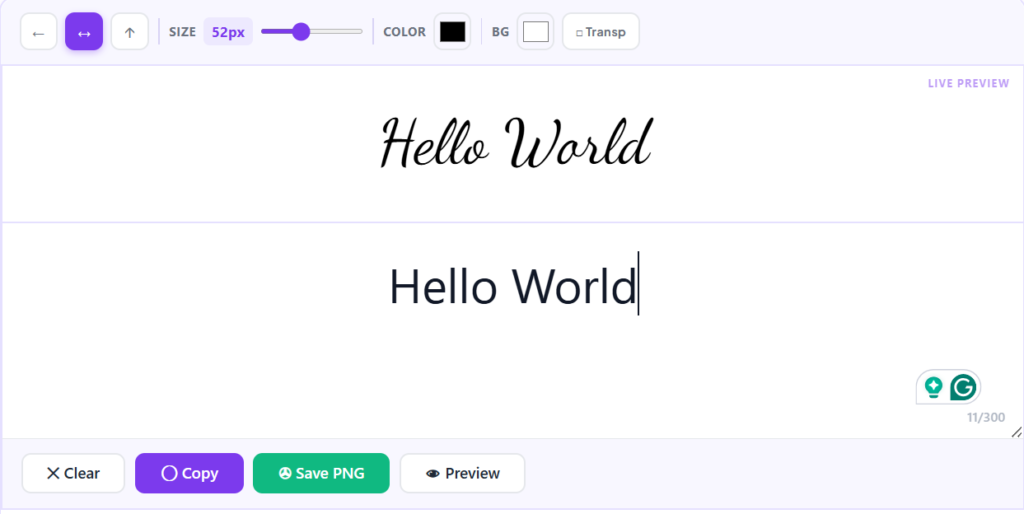
Behind the Scenes: How Unicode Creates Cursive Text
Most people think a cursive text generator installs a new font, but that’s not actually what happens.
Instead, the generator maps each standard letter to a visually similar Unicode character from the Unicode Standard. Because these characters are part of the Unicode system rather than a downloadable font file, they can often be copied and pasted into many websites, messaging apps, and social media platforms.
This is why the text usually keeps its appearance even after you paste it elsewhere.
How to Use a Cursive Text Generator
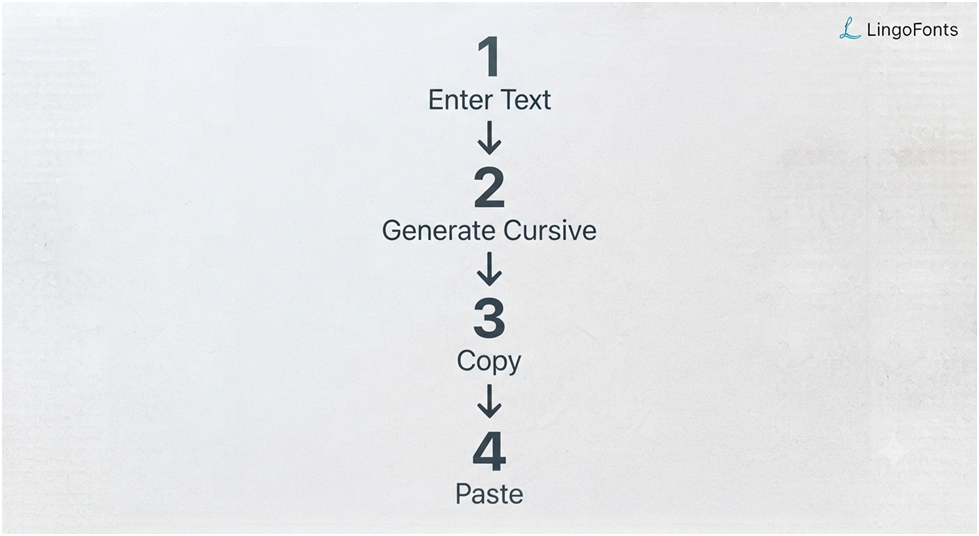
Using a cursive font generator free tool takes only a few seconds.
Step 1: Open the Generator
Visit the LingoFonts Cursive Text Generator.
You’ll see a text input area where you can type or paste your content.
Step 2: Enter Your Text
Type anything you’d like to convert.
Examples:
- Your name
- A quote
- A social media caption
- A greeting
- A username
- A blog title
Example:
Dream Big
Step 3: Browse the Generated Styles
Many generators provide several cursive variations.
For example:
Regular Script:
𝓓𝓻𝓮𝓪𝓶𝓑𝓲𝓰
Bold Script:
𝓓𝓻𝓮𝓪𝓶𝓑𝓲𝓰
Decorative Script:
𝒟𝓇𝑒𝒶𝓂𝐵𝒾𝑔
Some styles are more elegant, while others are easier to read.
Step 4: Copy Your Favorite Version
Click Copy.
The converted text is now stored on your clipboard.
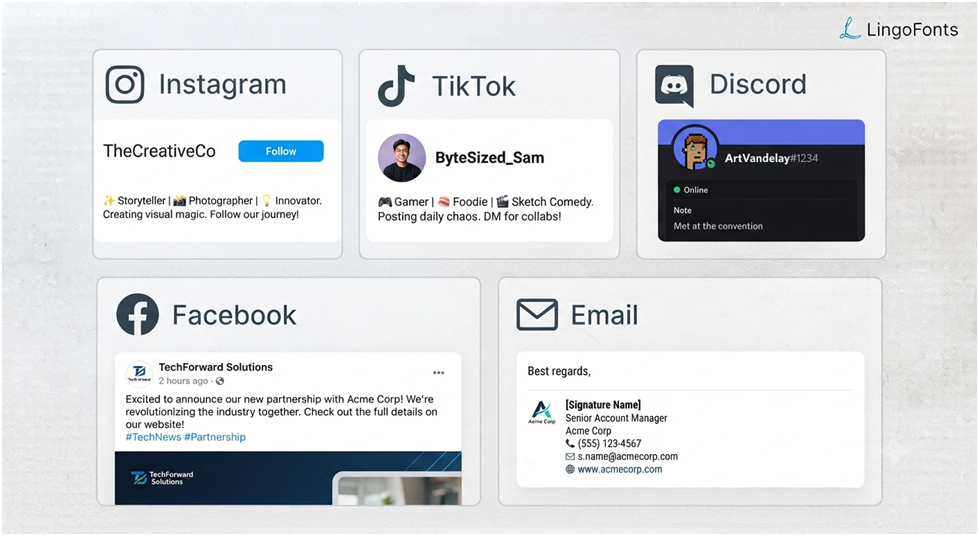
Step 5: Paste Anywhere
Paste it into supported platforms.
Examples include:
- Instagram bio
- Facebook profile
- TikTok caption
- YouTube channel description
- Gaming username
- Discord nickname
- Email signature
- Personal website
- Digital invitation
- Online portfolio
Tips for Better Results
To make your cursive text look polished and readable:
- Keep your text short for names and bios.
- Use cursive for emphasis, not entire long paragraphs.
- Preview the text before posting.
- Test it on mobile and desktop if appearance is important.
- Choose a simpler script style when readability matters.
Where Can You Use Cursive Text?
Once you convert text to cursive, you can use it across many digital platforms to make your content more eye-catching. Because most cursive text generators use Unicode characters, you can usually copy and paste the text without installing any fonts.
Whether you’re personalizing a profile, creating social media content, or designing digital invitations, cursive text adds a creative touch with very little effort.
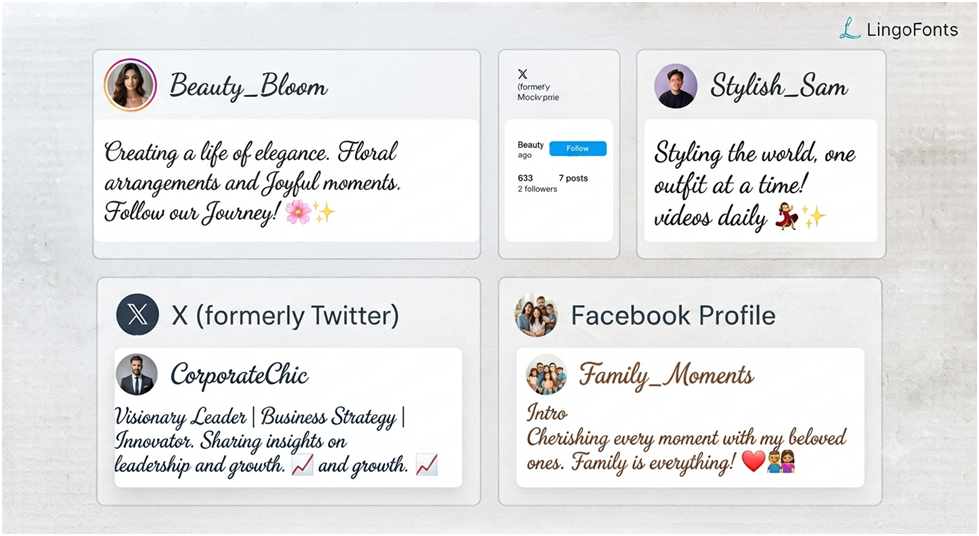
Social Media Profiles
Cursive text is popular on social media because it helps your profile stand out while keeping your content easy to copy and share.
You can use it for:
- Instagram bios
- Facebook profile names (where permitted)
- TikTok bios
- X (formerly Twitter) display names
- Pinterest profile descriptions
- Threads bios
Example
Regular Text:
Graphic Designer | Coffee Lover
Cursive Text:
𝓖𝓻𝓪𝓹𝓱𝓲𝓬𝓓𝓮𝓼𝓲𝓰𝓷𝓮𝓻 | 𝓒𝓸𝓯𝓯𝓮𝓮𝓛𝓸𝓿𝓮𝓻
Messages and Chats
Instead of sending plain text, you can make greetings and messages look more elegant.
Examples include:
- Birthday wishes
- Wedding invitations
- Congratulations
- Holiday greetings
- Anniversary messages
Example
Regular:
Happy Birthday Sarah!
Cursive:
𝓗𝓪𝓹𝓹𝔂𝓑𝓲𝓻𝓽𝓱𝓭𝓪𝔂𝓢𝓪𝓻𝓪𝓱!
This works well in apps like WhatsApp, Messenger, Telegram, and Discord, provided the platform supports Unicode characters.
Creative Content
Many creators use cursive text to make their content more visually appealing.
Popular examples include:
- YouTube channel descriptions
- Pinterest pin titles
- Blog headings
- Digital planners
- Printable quotes
- Journals
- Mood boards
For longer paragraphs, however, regular text is usually easier to read.
Digital Invitations
Cursive text gives invitations a more elegant appearance.
You can use it for:
- Wedding invitations
- Birthday invitations
- Baby showers
- Graduation announcements
- Event posters
Email Signatures
A subtle cursive signature can add personality to professional or personal emails.
Example
Kind regards,
𝓔𝓶𝓲𝓵𝔂𝓙𝓸𝓱𝓷𝓼𝓸𝓷
Keep the rest of the email in standard text for readability.
How We Tested Unicode Compatibility
To verify where Unicode cursive works, we tested generated text across:
- TikTok
- Discord
- X
- Microsoft Word
Results may vary slightly depending on operating system and browser version, but modern devices generally display Unicode cursive correctly.
Benefits of Using a Cursive Text Generator
A cursive text translator offers several practical advantages beyond making text look decorative.
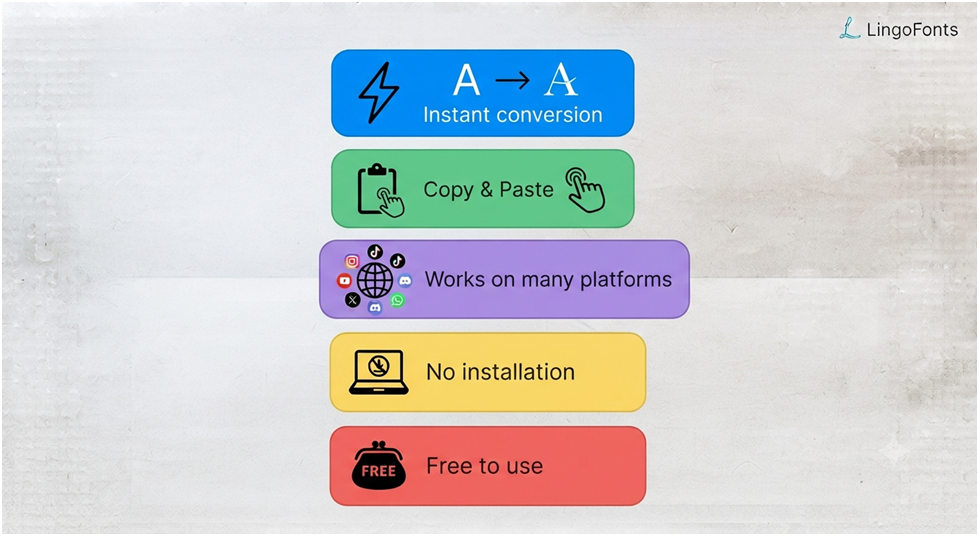
1. No Font Installation Required
Traditional fonts must be downloaded and installed.
A Unicode-based cursive generator works directly in your browser.
Simply:
- Type
- Copy
- Paste
That’s it.
2. Fast and Easy to Use
Converting text takes only a few seconds.
There is no design software to learn and no technical knowledge required.
3. Works Across Many Platforms
Because Unicode is widely supported, your text can often be pasted into:
- TikTok
- Discord
- YouTube
- Many blogging platforms
Always preview the result before publishing, as support may vary slightly between platforms and devices.
4. Great for Personal Branding
Stylish text can help your online profile feel more distinctive.
Many creators use cursive text for:
- Usernames
- Display names
- Bios
- Portfolio headings
- Personal websites
The key is moderation. A small amount of decorative text is usually more effective than styling everything.
5. Completely Free
Many online tools, including the LingoFonts Cursive Text Generator, allow you to convert and copy text without creating an account or paying a subscription.
Who Should Use a Cursive Text Generator?
A cursive text generator is useful for many different users.
Students
Create attractive school projects, assignments, and presentations.
Social Media Creators
Design stylish Instagram bios, TikTok profiles, and YouTube descriptions.
Businesses
Create memorable taglines, promotional messages, and branding ideas.
Graphic Designers
Generate inspiration before selecting professional fonts for logos or posters.
Everyday Users
Personalize messages, invitations, greetings, and digital notes.
Cursive Text Generator vs. Real Cursive Fonts
Although both create a cursive appearance, they serve different purposes.
| Feature | Cursive Text Generator | Traditional Cursive Font |
| Installation Required | ❌ No | ✅ Yes |
| Copy &Paste | ✅ Yes | ❌ No |
| Uses Unicode | ✅ Yes | ❌ No |
| Graphic Design | Limited | Excellent |
| Social Media | Excellent | Usually Not Supported |
| Printing Projects | Limited | Excellent |
| Works in Browsers | ✅ Yes | Depends on Installed Fonts |
Which One Should You Choose?
Choose a cursive text generator if you want:
- Stylish social media text
- Decorative usernames
- Quick copy-and-paste text
- No downloads
Choose a real cursive font if you’re designing:
- Logos
- Posters
- Printed invitations
- Branding materials
- Professional graphic designs
Practical Examples
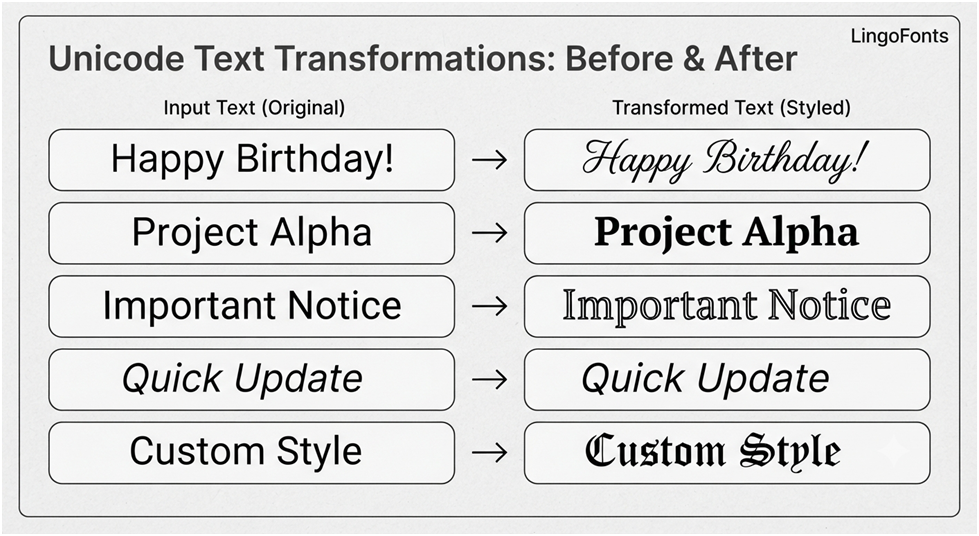
Below are some common examples of converting plain text into cursive.
| Regular Text | Cursive Version |
| Good Morning | 𝓖𝓸𝓸𝓭𝓜𝓸𝓻𝓷𝓲𝓷𝓰 |
| Best Friends | 𝓑𝓮𝓼𝓽𝓕𝓻𝓲𝓮𝓷𝓭𝓼 |
| Stay Positive | 𝓢𝓽𝓪𝔂𝓟𝓸𝓼𝓲𝓽𝓲𝓿𝓮 |
| Dream Big | 𝓓𝓻𝓮𝓪𝓶𝓑𝓲𝓰 |
| Thank You | 𝓣𝓱𝓪𝓷𝓴𝓨𝓸𝓾 |
| Welcome | 𝓦𝓮𝓵𝓬𝓸𝓶𝓮 |
| Happy Birthday | 𝓗𝓪𝓹𝓹𝔂𝓑𝓲𝓻𝓽𝓱𝓭𝓪𝔂 |
| Good Luck | 𝓖𝓸𝓸𝓭𝓛𝓾𝓬𝓴 |
These examples can be copied and pasted into most Unicode-compatible platforms.
Limitations of Cursive Text Generators
While cursive text generators are useful, it’s important to understand their limitations.
Platform Compatibility
Most modern apps support Unicode characters, but some older websites or software may not display them correctly.
Instead of cursive text, users might see:
- Empty squares
- Question marks
- Missing characters
Readability
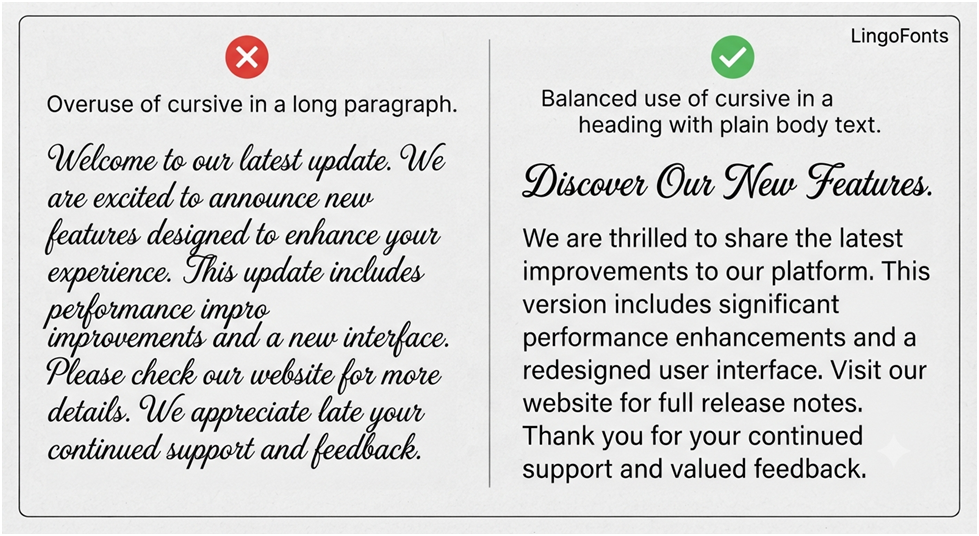
Decorative script is attractive, but long paragraphs written entirely in cursive can be difficult to read.
For articles, emails, or educational content, use cursive sparingly.
Search Engine Considerations
Unicode cursive text is intended for visual styling, not for improving search engine rankings.
For example, using cursive in your website’s main headings or body content can reduce readability and may not provide SEO benefits. Reserve it for decorative elements, examples, or user-generated content.
Accessibility
Some screen readers and assistive technologies may not interpret decorative Unicode characters the same way as standard text.
If you’re creating content for a wide audience, always ensure that important information is also available in plain text.
Best Practices
To get the best results when using copy and paste cursive text:
- Use cursive mainly for short phrases, names, and headings.
- Avoid writing long paragraphs in decorative script.
- Test your text on different devices before sharing.
- Keep readability more important than decoration.
- Use plain text when clarity or accessibility is essential.
- Choose simple cursive styles for professional profiles.
- Save highly decorative styles for creative projects and social media.
Following these practices helps your text remain both attractive and easy to understand.
Common Mistakes Beginners Make
Even though a convert text to cursive tool is simple to use, a few common mistakes can affect how your text looks or works. Avoiding these issues will help you create stylish, readable, and compatible text.
1. Writing Everything in Cursive
One of the biggest mistakes is converting long paragraphs into cursive.
While decorative text looks attractive for short phrases, it becomes difficult to read when used for entire articles, emails, or long social media captions.
Better approach: Use cursive for titles, names, quotes, greetings, or short highlights instead of large blocks of text.
2. Assuming It Is a Real Font
Many users believe a cursive text generator installs a font on their device.
In reality, most tools replace standard letters with Unicode characters, which look like cursive but are not traditional font files.
If you’re designing a logo, poster, or printed invitation, you’ll usually need a real cursive font rather than a Unicode text generator.
3. Forgetting to Check Compatibility
Although Unicode is widely supported, some older apps, websites, or operating systems may not display decorative characters correctly.
Before publishing important content, preview it on the platform where it will appear.
4. Ignoring Readability
Stylish text should enhance your content, not make it harder to understand.
For example:
❌Hard to read
𝓣𝓱𝓲𝓼𝓮𝓷𝓽𝓲𝓻𝓮𝓹𝓪𝓻𝓪𝓰𝓻𝓪𝓹𝓱𝓲𝓼𝓲𝓷𝓬𝓾𝓻𝓼𝓲𝓿𝓮.
✅Better
Keep the main text in a standard font and use cursive only for emphasis, headings, or signatures.
5. Using Cursive for Important Information
Avoid using decorative text for:
- Passwords
- Email addresses
- Website URLs
- Phone numbers
- Important instructions
These are easier to read and less likely to cause confusion when written in plain text.
Common Search Terms Related to Cursive Text
Some of the most common searches include:
- text to cursive
- convert text to cursive
- cursive text generator
- cursive converter
- cursive font generator
- cursive writing generator
- cursive copy and paste
- cursive text maker
- cursive writing copy and paste
- translate cursive
Frequently Asked Questions
Can I convert text to cursive for free?
Yes. Most online tools, including the LingoFonts Cursive Text Generator, let you convert text into cursive at no cost. Simply type your text, copy the result, and paste it where you want to use it.
Is cursive text the same as a cursive font?
No.
A cursive text generator typically uses Unicode characters, while a real cursive font is a font file that must be installed on your device.
Can I copy and paste cursive text?
Yes.
Once your text is converted, you can copy and paste it into many websites, messaging apps, and social media platforms that support Unicode characters.
Does cursive text work on Instagram?
Yes.
Instagram generally supports Unicode cursive in bios, captions, comments, and profile names. However, some decorative characters may appear differently depending on the device or operating system.
Can I use cursive text on Facebook?
Yes.
Most Unicode cursive characters display correctly in Facebook posts, comments, and profile descriptions.
Does cursive text work on TikTok?
Yes.
Many TikTok users add cursive text to their bios and profile descriptions to make them more visually appealing.
Will cursive text work on X (formerly Twitter)?
Yes.
Unicode cursive usually works in display names, bios, and posts, provided the characters are supported by the user’s device.
Why do some people see boxes instead of cursive text?
This usually happens when a device, browser, or application does not support certain Unicode characters. Updating the software or using a different device often resolves the issue.
Can I use cursive text in Microsoft Word?
Yes.
Most Unicode cursive characters display correctly in modern versions of Microsoft Word, although they are still Unicode symbols rather than installed fonts.
Is Unicode cursive searchable?
Search engines primarily index the underlying Unicode characters, but decorative text is intended for styling rather than SEO. For websites, it’s best to use standard text for headings and important content.
Can I create cursive text on my phone?
Yes.
A browser-based generator works on smartphones, tablets, and desktop computers, so you don’t need to install a separate cursive converter app unless you prefer using one.
Is my text stored when I use a generator?
That depends on the website.
Many browser-based tools process your text instantly without saving it, but you should always review a site’s privacy policy before entering sensitive or personal information.
Can I convert numbers and symbols to cursive?
Letters have the widest Unicode support for cursive styling. Some generators also offer decorative versions of numbers and symbols, but availability varies.
Can I use cursive text for business branding?
Yes, in moderation.
Short cursive headings, taglines, or social media bios can enhance your brand’s personality. For logos and printed materials, professionally designed font files are usually a better choice.
What is the difference between a cursive text generator and a calligraphy generator?
A cursive text generator creates Unicode text that can be copied and pasted. A calligraphy generator may create images, graphics, or printable artwork that mimics handwritten calligraphy.
Can I convert text to cursive without downloading fonts?
Yes. Most cursive text generators use Unicode characters instead of traditional font files. Simply type your text into the generator, copy the converted cursive text, and paste it into supported apps or websites. No font installation or additional software is required.
Is Unicode cursive safe?
Yes. Unicode cursive text is generally safe to use because it consists of standard Unicode characters recognized by modern operating systems and web browsers. However, avoid using decorative Unicode text for passwords, email addresses, or other important information where maximum readability is essential.
Does Unicode cursive affect SEO?
Unicode cursive is designed for visual styling rather than search engine optimization. Using decorative Unicode text in your website’s main headings or body content is unlikely to improve rankings and may reduce readability. For the best SEO results, use standard text for important content and reserve cursive text for examples, creative elements, or user-generated content.
Can I use cursive text in my Instagram username?
Yes. Instagram generally supports Unicode cursive characters in usernames, display names, bios, captions, and comments. Keep in mind that some highly decorative characters may display differently depending on the device or operating system, so it’s a good idea to preview your text before saving changes.
Does cursive text work on Android?
Yes. Most modern Android devices support Unicode cursive characters, allowing you to copy and paste stylish text into compatible apps such as Instagram, Facebook, TikTok, WhatsApp, Discord, and X. If certain characters appear as empty boxes, updating your device or using a newer version of Android may help.
Does cursive text work on iPhone?
Yes. iPhones running recent versions of iOS generally display Unicode cursive text correctly. You can use copy-and-paste cursive text in social media apps, messaging platforms, emails, and many websites without installing additional fonts.
Can I print Unicode cursive?
Yes, in most cases. Unicode cursive text can usually be printed if the software and printer support the required Unicode characters. However, for professional printing, branding, logos, or high-quality design projects, using a real cursive font is often a better choice because it provides more consistent appearance and formatting.
Why does my cursive text look different on another phone?
Different devices, operating systems, browsers, and apps use different fonts to display Unicode characters. As a result, the same cursive text may appear slightly different on Android, iPhone, Windows, or Mac devices. If a device doesn’t support certain Unicode characters, they may appear as empty boxes or replacement symbols instead of cursive text.
Does cursive text work on all websites?
Most modern websites support Unicode cursive text, but compatibility isn’t universal. Some older websites or software may not display certain decorative characters correctly. Always test your text on the platform where you plan to use it.
Can I use cursive text in my email signature?
Yes. Unicode cursive text can add a stylish touch to your email signature. For a professional appearance, use cursive only for your name or a short tagline, while keeping the rest of the signature in plain text for readability.
Is a cursive text generator free to use?
Yes. Most online cursive text generators, including the LingoFonts Cursive Text Generator, are free to use. You can generate, copy, and paste unlimited cursive text without downloading software or creating an account.
Can I convert numbers and symbols into cursive?
Some cursive text generators include decorative versions of numbers and symbols, but support varies because Unicode provides more stylized options for letters than for numbers or punctuation. The available styles depend on the generator you use.
Can I use cursive text for my business or brand?
Yes. Cursive text can make social media bios, promotional posts, and short taglines more visually appealing. However, for logos, printed materials, and professional branding, using a licensed cursive font is generally the better option for consistency and design quality.
Why We Built This Tool
At LingoFonts, we’ve tested hundreds of Unicode characters across popular platforms including Instagram, TikTok, Discord, Facebook, WhatsApp, and X. We designed our Cursive Text Generator to create copy-and-paste text that works across most modern devices without requiring any downloads or font installation.
While Unicode support can vary slightly between platforms, our tool is regularly updated to provide readable and compatible cursive styles.
Conclusion
A convert text to cursive tool makes it easy to transform ordinary text into elegant, copy-and-paste-friendly script within seconds. Whether you’re updating a social media profile, adding a creative touch to a message, or designing digital content, a Unicode-based cursive generator offers a fast and accessible solution.
While cursive text is excellent for names, headings, quotes, and short phrases, it’s best used thoughtfully. Keeping longer content in plain text improves readability, accessibility, and compatibility across devices.
Ready to create your own stylish text? Try the LingoFonts Cursive Text Generator to instantly convert plain text into beautiful cursive that you can copy and paste anywhere.